 Whatsable







TL;DR:
- Automating WhatsApp from CRM stages enables instant, personalized messaging without manual effort. This process reduces response times and human errors, improving lead engagement and deal tracking. Teams need WhatsApp Business API access, CRM webhook triggers, and an automation platform to implement this system effectively.
Automating WhatsApp from CRM pipeline stages means triggering personalized WhatsApp messages the moment a deal moves from one stage to the next, with no manual effort required. This approach, formally called pipeline-triggered messaging automation, cuts response times from hours to seconds and removes the human error that comes with copy-paste follow-ups. Sales teams that connect WhatsApp workflow automation to their CRM see faster lead engagement, fewer dropped deals, and a cleaner record of every customer conversation. The setup requires a WhatsApp Business API account, a CRM that supports webhook triggers, and an automation platform to connect the two.
What do you need to automate WhatsApp from CRM pipeline stages?
Three components must be in place before any automation runs. Miss one, and the workflow breaks silently.

WhatsApp Business API access. A standard WhatsApp Business app does not support automation. You need a WhatsApp Cloud API account through Meta’s developer portal. This gives you the API token, phone number ID, and message template access required to send programmatic messages.
A CRM with pipeline stage triggers. Your CRM must fire an event or webhook when a deal changes stage. Most mid-market and enterprise CRM platforms support this natively. Entry-level tools often require a third-party connector. Whatsable integrates directly with Pipedrive, which exposes deal stage events as webhook triggers out of the box.
An automation platform. Tools like n8n, Zapier, and Make sit between your CRM and the WhatsApp API. They listen for stage change events and execute the message-sending workflow. CRM platforms connect to WhatsApp via API, and automation tools route leads through pipeline stages automatically.
The supporting requirements include:
- A verified Meta Business account with an approved phone number
- Pre-approved WhatsApp message templates (required for outbound messages to new contacts)
- A public webhook URL that stays online at all times
- API tokens stored securely, not hardcoded in workflow scripts
- A CRM field map so the automation knows which data to pull for personalization
Pro Tip: Set up a dedicated test pipeline stage in your CRM before going live. Run every new workflow against it first so you never accidentally message real customers with broken templates.
How to set up WhatsApp automation tied to pipeline stage changes
This process has five distinct steps. Follow them in order.
-
Configure your WhatsApp Cloud API credentials. Log into the Meta developer portal. Create an app, add the WhatsApp product, and copy your access token and phone number ID. Store both in your automation platform’s credential vault, not in plain text.
-
Create and submit message templates. WhatsApp requires pre-approved templates for outbound messages. Write one template per pipeline stage. A “Proposal Sent” stage might trigger: “Hi {{1}}, your proposal is ready. Reply here to discuss next steps.” Submit templates through the Meta Business Manager and wait for approval, which typically takes a few hours.
-
Set up webhook triggers in your CRM. Go to your CRM’s developer or integration settings. Create a webhook that fires on deal stage changes. The webhook payload should include the deal ID, contact name, phone number, and the new stage name. Point the webhook URL at your automation platform’s incoming trigger endpoint.
-
Build the automation workflow. Inside your automation platform, create a new workflow triggered by the incoming CRM webhook. Add a condition node to check which stage the deal moved to. Route each stage to its matching message template. Use a WhatsApp API node to send the message, pulling contact data from the webhook payload into the template variables. Dynamic templates pull CRM field data directly into messages, creating personalized outreach at scale.
-
Test with sample contacts before going live. Create a test deal in your CRM and move it through each stage manually. Confirm the correct message fires for each transition. Check that variable substitution works and that no template errors appear in the API response logs.
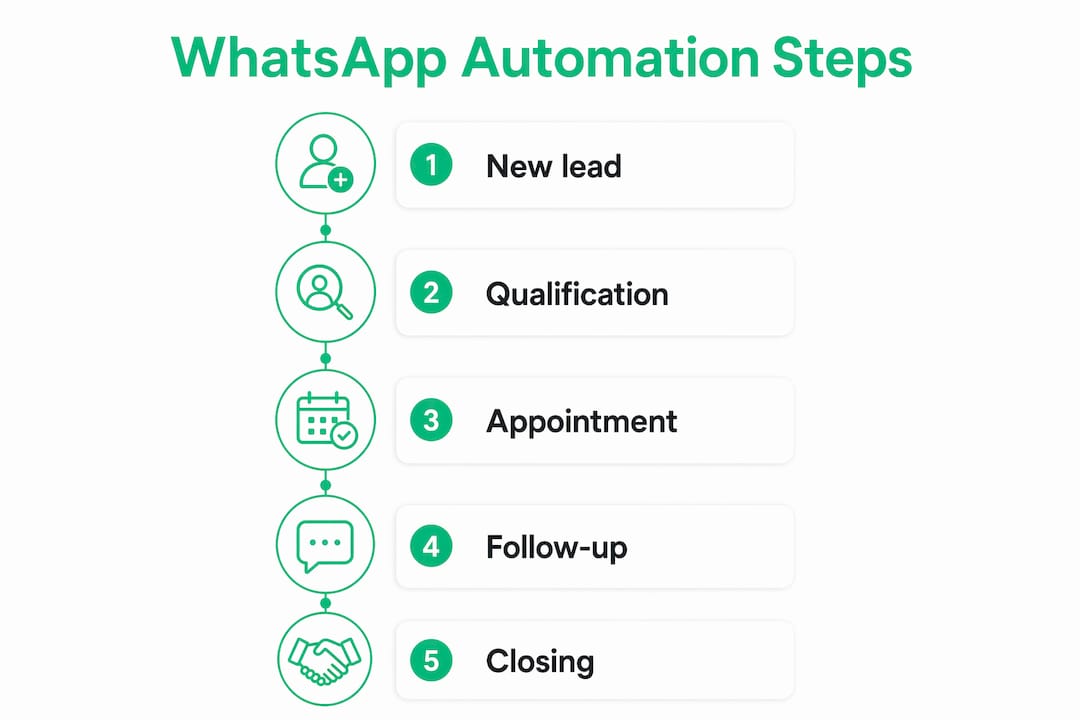
The table below maps each pipeline stage to a recommended message type and timing.
| Pipeline stage | Message type | Recommended timing |
|---|---|---|
| New lead | Welcome and qualification | Immediately on stage entry |
| Proposal sent | Proposal summary and next steps | Within 5 minutes of stage change |
| Follow-up needed | Re-engagement nudge | 24 hours after stage entry |
| Negotiation | Personalized offer reminder | Same day as stage change |
| Closed won | Onboarding welcome | Within 1 minute of stage change |
Pro Tip: Automated reminders sent at 24-hour and 1-hour intervals before key appointments reduce no-shows by as much as 60%. Apply the same interval logic to your follow-up stage messages.
How do you troubleshoot common WhatsApp CRM automation failures?
Most automation failures fall into four categories. Knowing them in advance saves hours of debugging.
Expired API tokens. Access tokens expire on a regular cycle. As of 2026, tokens follow a 24-hour expiry refresh policy. Set a scheduled task in your automation platform to refresh the token before it expires. Never rely on manual renewal.
Webhook delivery failures. Webhooks fail when the receiving server is offline or slow to respond. WhatsApp API integrations require always-online servers to avoid missed messages. Free or shared hosting breaks automation under load. Use a stable cloud instance, such as an AWS EC2 or equivalent, for your automation platform host.
Template rejections. Meta rejects templates that contain promotional language without proper categorization, use unapproved variables, or violate messaging policy. Write templates in plain, factual language. Avoid exclamation points in bulk and do not promise discounts in utility templates.
Missing or malformed webhook payloads. If your CRM sends an incomplete payload, the automation fails silently. Add a validation step at the start of every workflow to check that required fields (phone number, contact name, stage name) are present before the message node runs.
Logging every WhatsApp message in the CRM timeline creates a single source of truth for monitoring team performance and identifying pipeline bottlenecks. Real conversation data enables coaching based on facts rather than anecdotes.
Best practices that prevent most issues before they occur:
- Store webhook verification tokens securely. A persistent public URL with a secure verification token is required to validate Meta API callbacks.
- Add monitoring alerts to your automation platform so you get notified when a workflow errors out.
- Test each workflow with sample contacts and add proactive monitoring triggers to catch failures before they affect real deals.
- Log every outbound message with its timestamp and delivery status back into the CRM deal record.
Automation approaches: which method fits your team?
The right approach depends on your team’s technical capacity and the complexity of your pipeline.
Manual scripting with the Cloud API gives you full control. A developer writes code that listens for CRM events and calls the WhatsApp API directly. This suits teams with engineering resources who need custom logic, multi-language support, or deep data transformations. The tradeoff is maintenance overhead and longer build times.
No-code platforms like n8n, Zapier, and Make remove the coding requirement entirely. Drag-and-drop nodes for message sending, conditions, delays, and variable setting enable powerful WhatsApp automation without writing a line of code. Some platforms also integrate AI and handoff to human operators, which extends what a basic workflow can do. This approach suits most sales teams.
The table below compares key feature categories across automation approaches.
| Feature category | Manual scripting | No-code platforms | Managed SaaS (e.g., Whatsable) |
|---|---|---|---|
| Setup time | Days to weeks | Hours | Under 1 hour |
| Technical skill required | High | Low | None |
| Message scheduling | Custom built | Native | Native |
| Two-way chat support | Custom built | Limited | Native |
| Analytics and reporting | Custom built | Basic | Built-in |
| Hosting responsibility | Your team | Your team | Provider |
| CRM integration depth | Custom | Connector-based | Native (Pipedrive, Zapier, n8n) |
Managed SaaS platforms handle hosting, token refresh, and template management for you. That removes the three most common failure points from your team’s responsibility. For sales teams without a dedicated developer, this is the most reliable path to consistent CRM WhatsApp automation.
Key Takeaways
Automating WhatsApp from CRM pipeline stages requires the WhatsApp Cloud API, a CRM with webhook triggers, and a reliable automation platform to connect them.
| Point | Details |
|---|---|
| API access is non-negotiable | You need a WhatsApp Cloud API account through Meta to send any automated messages. |
| Templates must be pre-approved | Write and submit one message template per pipeline stage before building workflows. |
| Hosting stability prevents failures | Use an always-on cloud server; free hosting breaks automation under real-world load. |
| Token expiry causes silent failures | Automate token refresh on a schedule to prevent messages from stopping without warning. |
| Log every message in your CRM | Message logs in the CRM timeline give your team coaching data and pipeline visibility. |
Why I think most teams set this up backwards
Most sales teams I’ve seen approach WhatsApp CRM automation the wrong way. They start by building the most complex workflow first, the one with five conditions, three message variants, and a delay node, and then wonder why it breaks in week two.
The teams that get lasting results start with one stage and one message. Pick the stage where leads go cold fastest. For most pipelines, that is the “Follow-up needed” stage. Build one template, connect one webhook, and run it for two weeks. The data you collect from that single workflow tells you more about your pipeline than any planning session will.
Speed matters more than most teams realize. Automating follow-ups triggered by deal stage changes lets you re-engage contacts within seconds. That window of attention is real. A lead who just opened your proposal is far more likely to respond to a WhatsApp message in the next five minutes than to an email the next morning.
The other mistake I see is skipping the CRM logging step. If your WhatsApp messages do not appear in the deal timeline, your managers cannot coach from real data. Automated messaging combined with CRM integration gives you message logs that show exactly where conversations stall. That is where your next workflow improvement comes from.
Start small, measure the impact on deal velocity, and add stages one at a time. The teams that do this consistently outperform those who try to automate everything at once and end up maintaining a fragile system nobody fully understands.
A real-world example worth noting: a legal services firm that implemented automated WhatsApp reminders integrated with CRM workflows saw a measurable drop in appointment no-shows after connecting stage changes to timed reminder sequences. The setup took less than a day. The result was immediate.
— Axel
Whatsable makes pipeline-triggered WhatsApp messaging straightforward
Sales teams that want CRM WhatsApp automation without managing servers, token refresh scripts, or template approval headaches have a direct path forward with Whatsable.
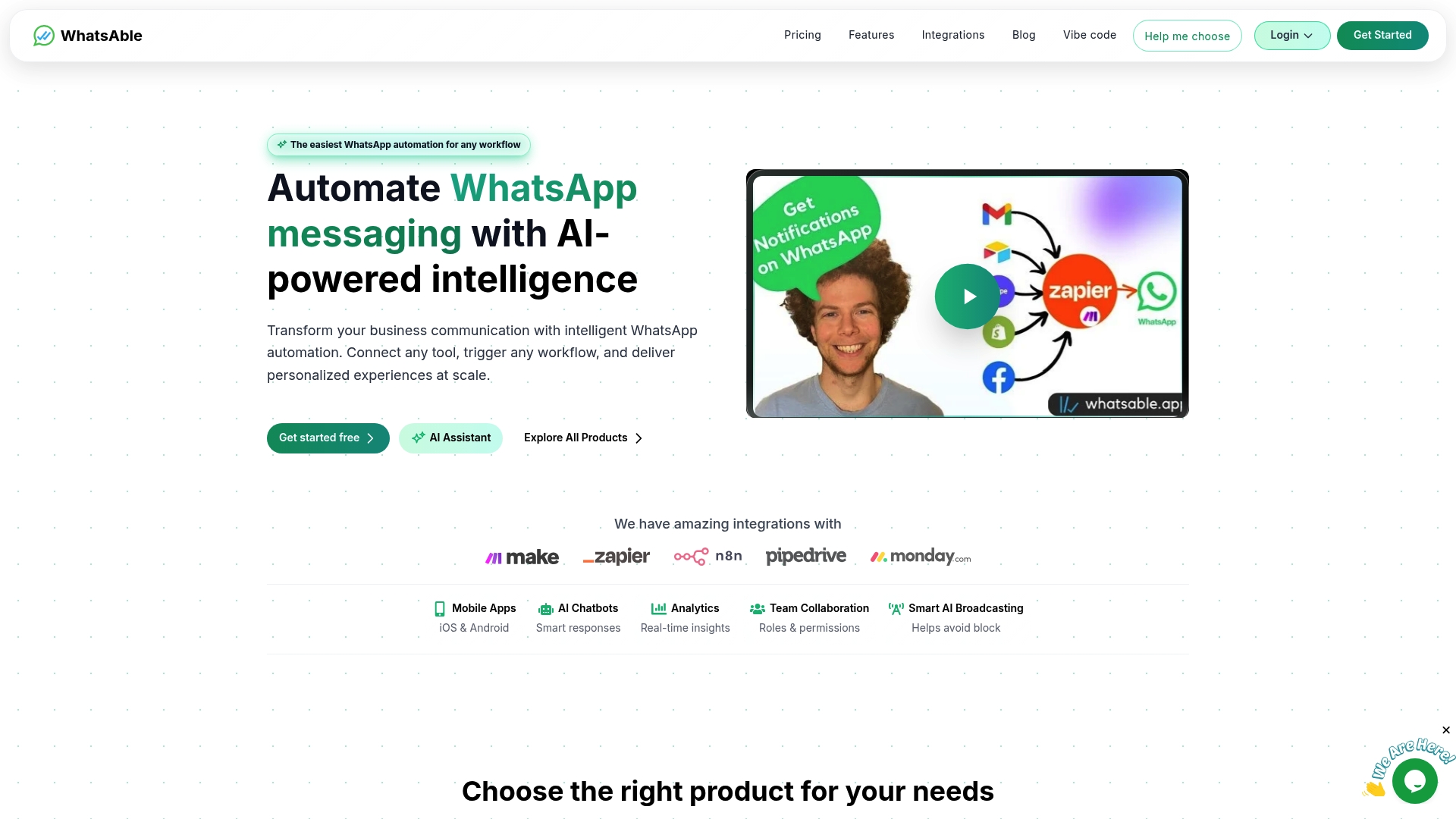
Whatsable connects natively with Pipedrive, Zapier, Make, and n8n, so your pipeline stage triggers reach WhatsApp contacts in seconds. The platform handles bulk messaging with anti-block measures, built-in analytics, and two-way chat support. A communications case study shows how automated WhatsApp notifications from CRM workflows drive measurable engagement gains without adding manual work. Whatsable also includes AI-powered chatbots and team management tools, making it suitable for both customer-facing pipelines and internal alerts. Check the Whatsable pricing page to find the plan that fits your team’s size and message volume.
FAQ
What is pipeline-triggered WhatsApp automation?
Pipeline-triggered WhatsApp automation sends a WhatsApp message automatically when a CRM deal moves to a new stage. No manual action is required from the sales team.
Do I need coding skills to automate WhatsApp from my CRM?
No-code platforms like n8n, Zapier, and Make let you build WhatsApp workflows with drag-and-drop nodes. Managed SaaS platforms like Whatsable require no technical setup at all.
Why do my automated WhatsApp messages stop sending?
The most common cause is an expired API access token. Tokens follow a 24-hour expiry cycle and must be refreshed automatically to prevent workflow failures.
How do I personalize WhatsApp messages by pipeline stage?
Use dynamic message templates that pull CRM field data, such as contact name, deal value, or assigned rep, into the message body. Each pipeline stage gets its own approved template.
How does WhatsApp automation affect sales speed?
Automating WhatsApp follow-ups on stage changes lets teams re-engage leads within seconds of a deal moving forward, which keeps lead interest high and shortens the overall sales cycle.
 Mira Okonkwo
 Jonah Reed
 Elias Navarro