 Whatsable







TL;DR:
- Most WhatsApp Business account failures result from repeated operational mistakes that harm message deliverability and customer trust.
- Proactively managing opt-in practices, templates, and error codes is essential to maintaining account health and compliance.
Most WhatsApp Business account failures trace back to a short list of operational mistakes that businesses repeat without realizing the damage they cause. These errors affect message deliverability, trigger account suspensions, and erode the customer trust you worked hard to build. The WhatsApp Business API, Meta’s approval processes, and opt-in compliance requirements all create specific traps for business owners and marketers. Knowing the most common WhatsApp Business account mistakes before they hit your account is the fastest way to protect your messaging operations.
1. Common WhatsApp business account mistakes start with bad opt-in practices
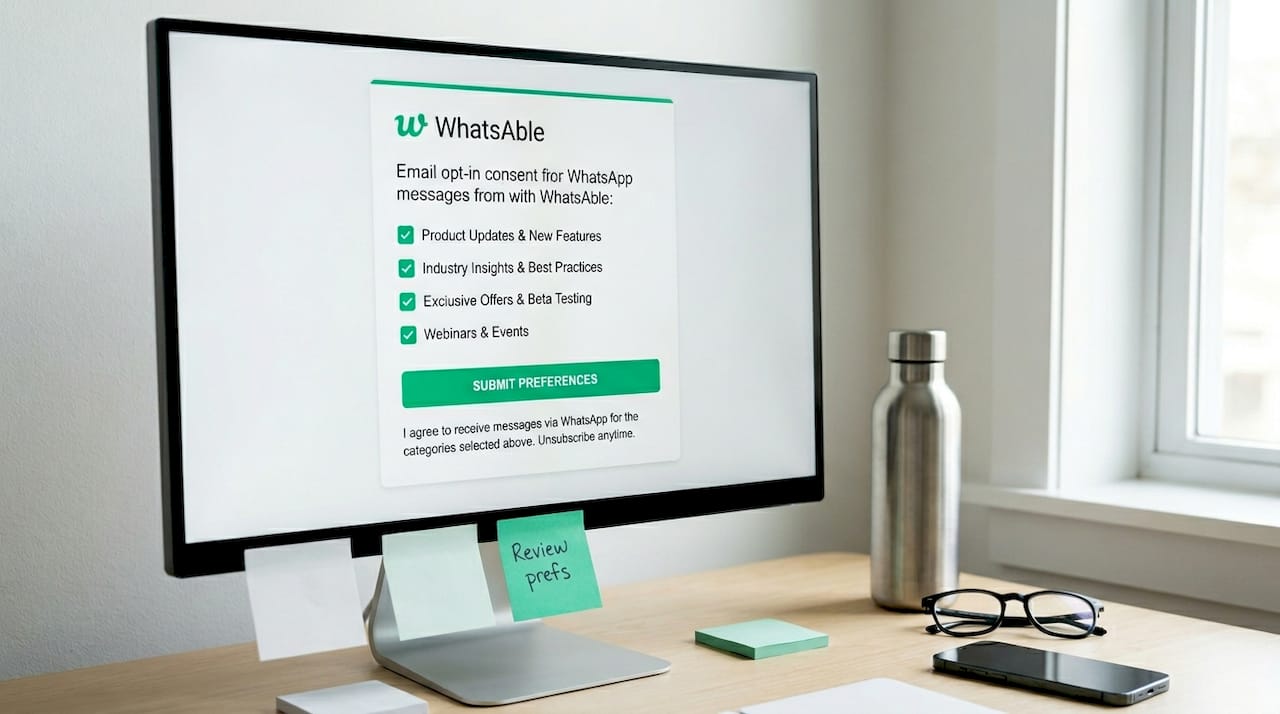
Skipping proper opt-in is the single fastest way to get your WhatsApp Business account restricted. Per the WhatsApp Business Messaging Policy, businesses are responsible for their opt-in methods and must comply with applicable laws. Violations lead to account limits or outright removal. That is not a warning buried in fine print. Meta enforces it.
The most frequent opt-in error is using a single generic consent checkbox that covers all message types. WhatsApp recommends category-specific opt-ins to reduce unsolicited messaging complaints. A customer who consents to order updates does not expect promotional offers. When they receive them anyway, they block your number, and enough blocks trigger enforcement.
- Collect opt-in at the point of relevance (checkout for transactional, sign-up for marketing)
- State clearly which message types the user will receive
- Store opt-in records with timestamps for audit purposes
- Never import contact lists without verified WhatsApp consent
Pro Tip: Build a separate opt-in flow for each message category you send. The extra setup takes one afternoon and protects your account from the most common compliance violations.
2. Sending outbound messages without approved templates
Every outbound message sent outside an active 24-hour customer service window must use a WhatsApp-approved template. This is not optional. Templates require Meta approval and are enforced through the WhatsApp Business API and your messaging provider. If you send a free-form message outside the session window, it fails silently or returns an error, and repeated failures damage your account standing.
The most damaging template errors businesses make fall into three categories:
| Error Type | What Goes Wrong | How to Fix It |
|---|---|---|
| Wrong category selection | Template approved as utility but used for marketing | Create a separate marketing template |
| Missing example values | Template rejected during Meta review | Add realistic placeholder examples in every variable field |
| Unapproved content | Promotional language in utility templates | Separate promotional and transactional content strictly |
Once Meta approves a template, its category cannot be changed. Businesses that discover a category mismatch must submit a new template and wait for re-approval. That delay can stall entire campaign workflows.
Pro Tip: Before building any automation pipeline, confirm that every template it depends on is approved and provider-enabled. A template that is approved by Meta but not yet enabled by your API provider will still fail to send.
3. Ignoring display name guidelines during account setup
Your WhatsApp Business display name is not cosmetic. Display name misalignment with your Meta Business Manager profile, or the use of generic words and symbols, causes rejection and delays your entire onboarding timeline. Businesses frequently submit names like “Support Team” or “Sales Dept” without connecting them to a verified business identity, and Meta rejects them.
The setup errors that cause the most delays include:
- Using a display name that does not match your registered business name in Meta Business Manager
- Including symbols, URLs, or generic descriptors in the display name field
- Changing the display name without completing phone number re-registration afterward
- Assuming the name update takes effect immediately without testing delivery
That last point catches many teams off guard. Changing display names often requires re-registration of the phone number to take full effect. If you skip re-registration, your messages may appear to send while actually failing delivery. The account dashboard shows “connected,” but recipients receive nothing.
4. Trusting “connected” status as proof of delivery
A connected or healthy status in your WhatsApp Business dashboard does not confirm that messages are actually reaching recipients. This is one of the most costly assumptions in WhatsApp account management. The WhatsApp number status indicator reflects registration state, not delivery capability. Those are two different things.
Delivery can stop silently after events like display name changes, provider migrations, or API credential rotations. Your system logs show messages sent. Your dashboard shows the number as active. But the messages never arrive. Teams running bulk campaigns can burn through thousands of sends before anyone notices the failure.
The fix is a structured delivery verification practice. Send a test message to a known number after any account change. Check delivery receipts, not just sent status. Build a runbook that includes re-registration steps and test sends as mandatory checkpoints after any configuration change. Managed messaging operations, like those described by Flowstates, treat delivery verification as a non-negotiable step in any change management process.
5. Mishandling user feedback and opt-out requests
Ignoring opt-out requests is one of the fastest ways to get a WhatsApp Business account blocked or banned. WhatsApp policies require businesses to honor unsubscribe requests to prevent spam complaints and maintain quality tiers. A user who replies “STOP” or asks to be removed expects immediate action. Delaying that action, or worse, continuing to message them, generates the negative feedback signals that trigger Meta enforcement.
WhatsApp’s enforcement system is triggered by high negative feedback trends, including blocks and reports. A single complaint rarely causes action. A pattern of them does. Businesses that do not monitor their feedback metrics have no warning before restrictions appear.
- Set up automated opt-out processing so removal happens within seconds of the request
- Review your block and report rates weekly, not monthly
- Segment audiences by engagement level and reduce frequency to low-engagement contacts
- Never re-add opted-out contacts to new lists without fresh, explicit consent
Pro Tip: Treat your WhatsApp block rate the same way you treat your email bounce rate. If it climbs above 1%, investigate immediately. Waiting for Meta to flag it means you are already in trouble.
6. Misclassifying or ignoring error codes
Not all WhatsApp delivery errors are the same, and treating them as identical wastes time and harms your account. WhatsApp Error 131049 is a clear example. It indicates the recipient has not accepted WhatsApp’s latest Terms of Service. The message cannot be delivered until the user accepts the updated Terms within their own app. No action on your side will fix it.
The mistake businesses make is retrying these messages repeatedly. Repeated retries to Error 131049 recipients create noise in your system, inflate your failure metrics, and accomplish nothing. The error is recipient-side and outside your control entirely.
The right approach is to classify errors by who controls the resolution:
- Business-side errors: Template issues, opt-in gaps, registration problems. Fix these immediately.
- Recipient-side errors: Error 131049, number not on WhatsApp, user-blocked status. Route these contacts to email or SMS instead.
- Platform-side errors: API outages, provider issues. Monitor status pages and retry after resolution.
Classifying errors this way stops your team from wasting effort on problems they cannot solve and directs attention to the ones they can.
7. Neglecting WhatsApp business profile optimization
An incomplete or inconsistent business profile is a frequent whatsapp business setup issue that undermines customer trust before a single message is sent. Your profile is the first thing a recipient checks when they receive a message from an unknown number. A missing logo, no business description, or a website URL that does not match your display name signals that the account may not be legitimate.
Profile optimization is not a one-time task. When you update your website, change your business category, or rebrand, the WhatsApp profile must reflect those changes. Businesses that treat the profile as a setup checkbox and never revisit it accumulate inconsistencies that reduce open rates and increase blocks from suspicious recipients.
Fill every profile field: business name, category, description, address, website, and hours. Use a high-resolution logo that matches your other brand assets. Review the profile every quarter as part of your standard account management process.
Key takeaways
Avoiding WhatsApp Business account errors requires proactive compliance, accurate template management, and consistent delivery verification rather than reactive fixes after problems appear.
| Point | Details |
|---|---|
| Opt-in must be category-specific | Generic consent checkboxes violate WhatsApp policy and increase block rates. |
| Templates need correct categories | Meta cannot change an approved template’s category; mismatches require a full resubmission. |
| Connected status does not mean delivery | Always run test sends after account changes to confirm actual message delivery. |
| Opt-outs require immediate action | Delayed removal of opted-out contacts triggers enforcement and account restrictions. |
| Error codes need classification | Recipient-side errors like 131049 cannot be fixed by the business; route affected contacts to alternate channels. |
What I’ve learned from watching accounts get it wrong
Most of the WhatsApp Business account management errors I see are not caused by ignorance of the rules. They are caused by teams that set up their accounts once and assume the platform will alert them when something breaks. It does not work that way.
WhatsApp’s enforcement is largely silent until it is not. Your account can be degrading in quality for weeks before a restriction appears. By then, the damage to your sender reputation is already done. The businesses that maintain clean accounts treat WhatsApp the same way a serious email marketer treats their sending domain: with regular audits, documented processes, and zero tolerance for ignoring feedback signals.
The advice I give every team is to build a runbook before you need one. Document the re-registration steps for your phone number. Write down how to handle Error 131049. Define what block rate triggers a campaign pause. None of this is complicated, but almost no one does it until after their first suspension.
Automation helps, but it does not replace judgment. I have seen fully automated WhatsApp pipelines send thousands of messages to opted-out contacts because no one built an opt-out sync into the workflow. The automation worked perfectly. The compliance failed completely. Balance your automation with human review checkpoints, especially around consent and feedback data.
— Axel
How Whatsable helps you avoid these mistakes
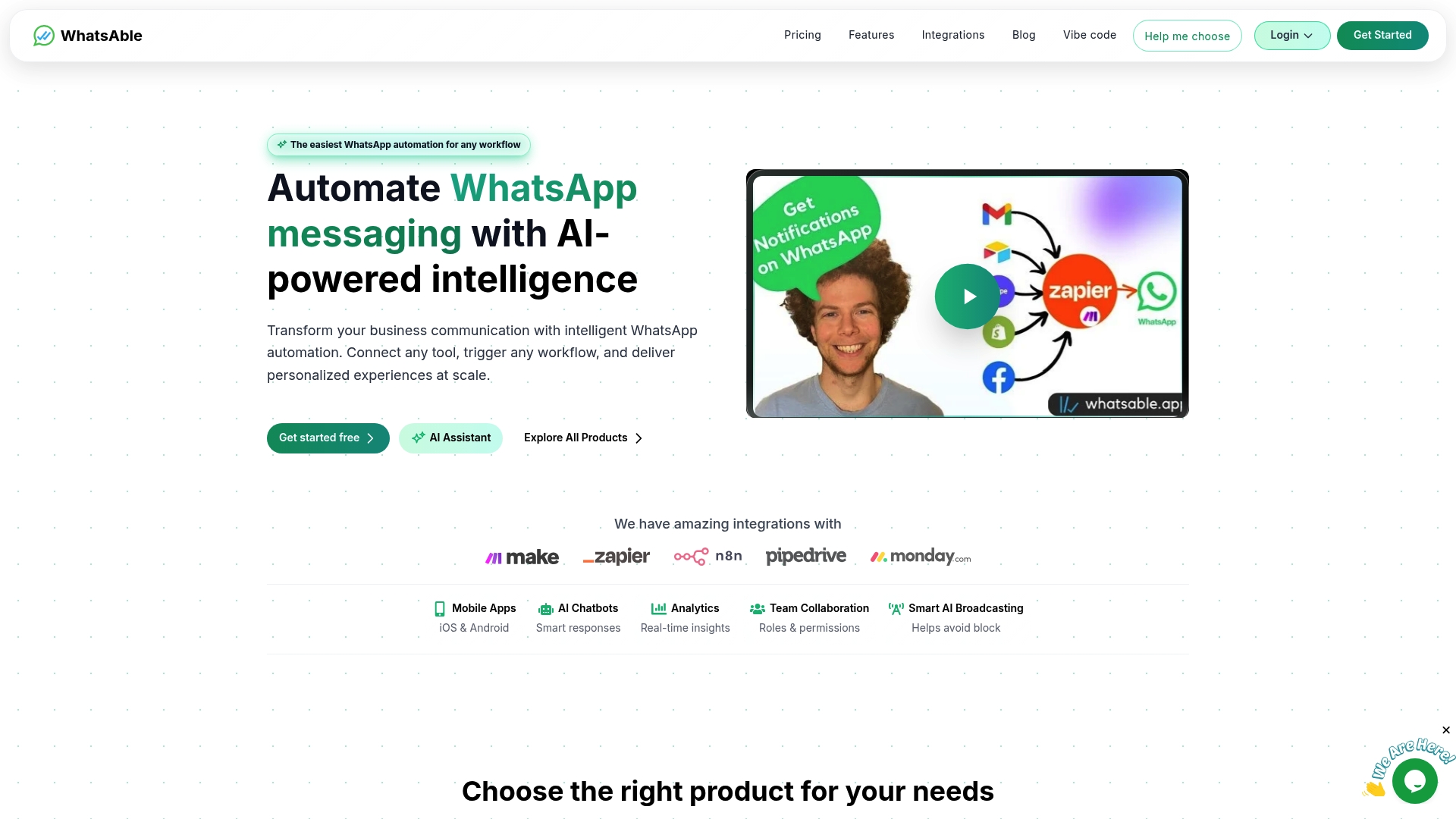
Whatsable is built specifically for businesses that want to run WhatsApp operations without walking into the compliance and delivery traps described above. Whatsable handles opt-in management, template workflows, and follow-up sequences with built-in safeguards that prevent common account management errors. Integrations with Zapier, Make, n8n, and Pipedrive mean your opt-out data syncs automatically across your stack, so no contact gets messaged after they have asked to stop. If you are managing WhatsApp at scale and want a platform that treats compliance as a feature rather than an afterthought, start with Whatsable and see how much operational risk you can remove from day one.
FAQ
What causes WhatsApp Business account suspension?
Account suspension is most commonly triggered by high block rates, ignored opt-out requests, and policy violations such as sending promotional messages without proper consent. Meta enforces these rules based on negative feedback trends reported by recipients.
Can I fix WhatsApp Error 131049 from my side?
No. Error 131049 means the recipient has not accepted WhatsApp’s latest Terms of Service, and only the recipient can resolve it by updating their app and accepting the Terms. Businesses should stop retrying these contacts and route them to alternative channels like email or SMS.
Do WhatsApp message templates expire or need renewal?
Approved templates do not expire automatically, but they can be paused or rejected if Meta detects policy violations or low-quality usage patterns. Always monitor template status in your Meta Business Manager and resubmit if a template is paused.
Why do my WhatsApp messages stop delivering after a display name change?
Changing your display name often requires phone number re-registration to take full effect. Without re-registration, delivery can stop silently even though your account shows as connected. Always send a test message after any account configuration change to confirm delivery.
How often should I audit my WhatsApp Business account health?
Review your block rate, opt-out volume, and template performance at least once a week. Conduct a full account audit, including profile accuracy, consent records, and error logs, once per month to catch issues before they escalate to enforcement actions.
 Mira Okonkwo