 Whatsable






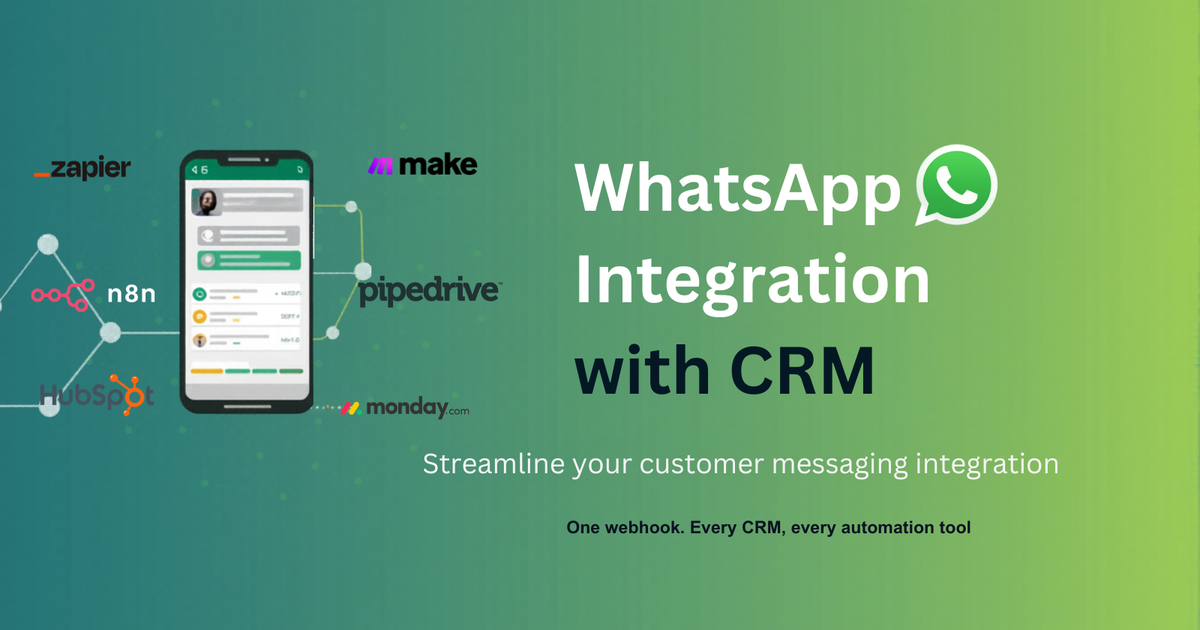
Your CRM has the customer data. WhatsApp has their attention.
Email open rates sit around 20%. WhatsApp open rates hover around 98% (industry data). Every sales team knows where their customers actually read messages. Almost none of them have wired the two systems together.
So the data lives in the CRM. The customer’s attention lives in WhatsApp. The rep is the human bridge - copying messages, pasting them, tabbing between two apps, losing context, missing follow-ups.
That bridge is the leak. Here’s how to close it - properly, in four steps, on whichever CRM you’re already using.
First: what “connected” actually means
Almost every major CRM lists “WhatsApp integration” as a feature. In most cases it’s a button that opens WhatsApp Web in a new browser tab with the contact’s number pre-filled. Your rep still does all the work.
Real integration passes four checks:
- The WhatsApp thread appears in the contact’s timeline automatically - same way emails do.
- An automation can send WhatsApp without a human clicking - stage change fires a template, form submit fires an acknowledgement.
- The number is on the official WhatsApp Cloud API - anything else gets banned.
- Templates are managed inside the integration - not in five Meta Business Manager tabs.
If your current setup fails any of these, you don’t have integration. You have a shortcut to a different app. The rest of this post is the four steps that get you to all four checks.
Step 1 - Get on the official WhatsApp Cloud API
If your current WhatsApp tool runs on whatsapp-web.js, Baileys, QR-code login, or markets itself as “no Meta verification needed” - it’s a timer, not a stack. Your business number will get banned. Question of when.
The WhatsApp Cloud API is the system Meta built for businesses to send at scale legitimately. You access it via a Meta Tech Provider - companies verified by Meta to provide Cloud API access. Whatsable is one. The verification process is a one-time ~5-minute flow guided inside our console; after that, you don’t see Meta again.
Once you’re on the Cloud API, your number is on the legitimate route - quality-rated, throughput-tiered, opt-in based, ban-safe.
Step 2 - Approve your templates first. Code second.
WhatsApp’s 24-hour rule: outside an active conversation, you can only send pre-approved templates. Marketing, notifications, follow-ups - all templated.
Approve the templates you know you’ll need before you wire any automation:
booking_confirmationquote_followupreminder_24hrenewal_outreachdeal_won_thankyou
Each template gets submitted to Meta for review (24-48 hours typically) and then it’s callable by name from your CRM workflow. Submit early - this step trips more setups than any other. We’ve watched teams wire perfect Zaps that then sit idle because the template is still pending approval.
Templates are also where your variables live - {{1}}, {{2}}, {{3}} placeholders that get filled with CRM data (customer name, deal amount, booking date) at send time.
Step 3 - Wire the CRM trigger to the WhatsApp send
This is the actual “integration” most setups skip. The shape depends on your CRM:
→ Pipedrive. Whatsable’s Marketplace app, or a Zapier recipe. Pipeline stage change → send template. Deep-dive in our Pipedrive + WhatsApp guide.
→ Any other CRM. REST API, documented and rate-limited generously. If your CRM (or custom backend) can POST a webhook, you can send WhatsApp through Whatsable. We’ve seen production builds on Attio, Folk, Close, Insightly, Airtable, and bespoke Rails / Django setups.
The send action takes phone, template_name, and variables from the CRM’s record, and fires the WhatsApp through your Cloud API number. Every send logs back to the contact record automatically.
Step 4 - Make replies land back in the CRM
This is the step most “WhatsApp integrations” silently skip. The customer replies on WhatsApp - where does that reply land?
In most setups: on someone’s personal phone. Not in the CRM. The thread goes dark to everyone except the rep who received it.
The fix is the inbound webhook. Whatsable fires a webhook every time your number receives a message - point that webhook at your CRM’s contact-update endpoint (directly, or via a Zapier/Make middle layer that matches the sender’s phone to the right contact). Every reply gets logged as a CRM activity on the right record. The WhatsApp thread shows up in the timeline next to the emails and the call notes.
That’s the step that turns “we can send WhatsApp from the CRM” into “WhatsApp lives in the CRM.”
What you actually get when this is wired
A short list of what shifts the day the integration goes live:
- Pipeline stage change fires a WhatsApp before the rep finishes typing the call summary
- Customer replies land on the contact timeline, not on someone’s personal phone
- Multiple WhatsApp numbers can route from one CRM - per location, per team, per language
- Template management lives in one place, not five Meta Business Manager tabs
- Quality rating is visible in the dashboard - yellow before it turns red, with the signals that pushed you there
- Throughput scales as you grow: 1K → 10K → 100K → unlimited messages per day
The unglamorous summary: reps stop tabbing out to WhatsApp Web. The contact timeline finally tells the truth about what happened.
Where Whatsable fits
Whatsable is an official Meta Tech Provider — verified by Meta to provide access to the WhatsApp Cloud API. Whatsable is the messaging layer described above. It plugs into Pipedrive and monday through native apps, Zapier, Make, or direct REST — and into any other CRM through the REST API.
You connect your number once. We handle the Meta Business Manager setup, business verification, template approvals, webhook retries, token rotation, and quality rating monitoring. You write your messages, your automations, your campaigns. The number stays yours, the quality rating stays in your control, the throughput grows as you do.
Free tier - connect your number, send a real WhatsApp today, no credit card.
The point
The CRM industry has been listing “WhatsApp” as a feature for years. In practice, most setups still leave the rep copying messages between two apps. The four-step setup above closes that gap on any CRM - without the ban risk, without the Meta paperwork tax, without the rep doing the integration’s job by hand.
Your CRM has the data. WhatsApp has the attention. Wire them together properly.
Connect your number, pick your CRM, ship it today.
Try Whatsable free at whatsable.app - no credit card required.

 Elias Navarro
 Mira Okonkwo