 Whatsable







TL;DR:
- Managing multiple WhatsApp accounts from a centralized platform requires a multi-tenant architecture with message brokers and stable webhook routing. Proper setup ensures scalability beyond three to five clients and prevents system breakdowns, while monitoring and automation improve stability and response times. Non-technical teams can use tools like Whatsable or the official API, whereas developers should consider WAHA with n8n for greater control and lower costs.
Multi-client WhatsApp management is the practice of handling multiple WhatsApp accounts or sessions from a single, centralized platform so teams can serve many customers without losing context or speed. The industry term for this architecture is multi-tenant WhatsApp management, and understanding the difference between a naive setup and a true multi-tenant system is what separates teams that scale from teams that break. WhatsApp reaches over 2 billion users globally, and its 98% message open rate makes it the highest-ROI channel most businesses still underuse. This guide covers the architecture, tools, best practices, and real pitfalls of multi-client WhatsApp management explained in plain terms.
What is multi-client WhatsApp management and how does it work?
Multi-client WhatsApp management works by routing all incoming and outgoing messages through a shared infrastructure layer instead of running isolated instances for each client. The WhatsApp Business API, tools like WAHA (WhatsApp HTTP API), and automation platforms like n8n all support this model. Each client session gets a unique identifier, and a central gateway reads that identifier to route messages to the correct workflow or agent.

The technical backbone of any solid multi-tenant setup relies on centralized message brokers. Redis and RabbitMQ handle asynchronous outbound messaging, which prevents any single client’s high volume from blocking the entire system. Kafka serves the same purpose at larger scale. Without a broker in the middle, a spike in messages from one client can freeze responses for every other client on the platform.
Webhook routing is the other critical piece. Every WhatsApp session fires webhook events when a message arrives. A well-built system uses a single webhook ingress URL that receives all events, reads the session identifier in the payload, and routes each event to the right workflow. This matters because changing a webhook URL in an active WhatsApp session requires a full session restart. A stable, centralized ingress URL means you can onboard new clients without touching the webhook configuration at all.
| Architecture type | Scalability | Stability | Cost per client | Recommended for |
|---|---|---|---|---|
| Naive (one instance per client) | Poor beyond 3–5 clients | Low, frequent downtime | High | Single client testing only |
| Multi-tenant with message broker | Strong, 50+ clients | High, isolated failures | Low | Production teams |
| Unified API gateway with n8n | Very strong | Very high | Lowest at scale | Agencies and enterprises |
Pro Tip: Use WAHA with n8n workflows and a Redis broker from day one, even if you only have two clients. Retrofitting a message broker into a naive setup later costs far more time than building it right initially.
Which WhatsApp management tools support multi-client use?
The right platform depends on whether you need an official, compliant solution or a flexible, developer-controlled one. Each category has real trade-offs.
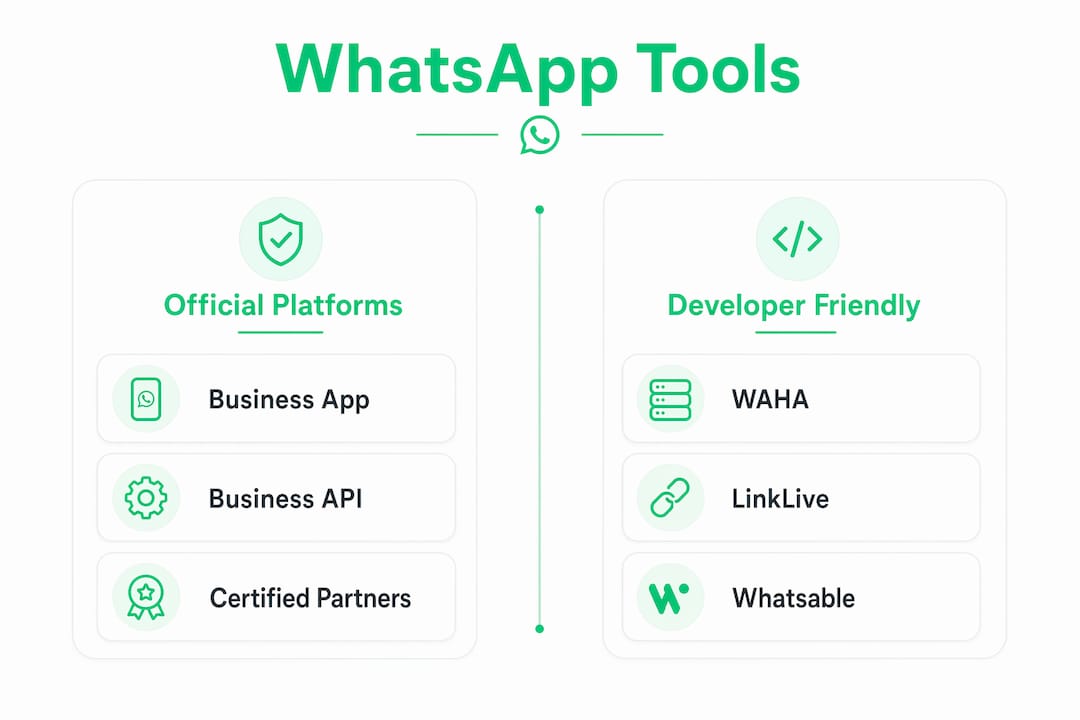
WhatsApp Business App supports multiple accounts and multi-agent features natively, letting teams assign chats and connect multiple devices. It works for small teams but has no API access, no automation, and no CRM integration. It hits a ceiling fast.
WhatsApp Business API (the official platform from Meta) supports conversational commerce, engagement marketing, customer care, and verification through multi-agent flows. It is the compliant choice for regulated industries and large enterprises. The trade-off is cost and onboarding complexity through a Meta Business Solution Provider.
WAHA is an open-source HTTP API wrapper that gives developers direct session control. It pairs naturally with n8n for workflow automation and supports true multi-tenant architecture. It is not officially sanctioned by Meta, so compliance-sensitive businesses should note that distinction.
LinkLive combines voice, chat, SMS, and video with AI-powered automation and real-time analytics. It targets BPO and contact center teams that need WhatsApp as one channel inside a broader communication stack.
iBASIS iRM is a cloud-native messaging platform integrating SMS, RCS, and OTT messaging with enterprise CRM systems. It suits telecoms and large enterprises that need multi-channel unification at carrier grade.
Whatsable targets marketing agencies and sales teams. It supports bulk messaging with anti-block measures, AI chatbots, Zapier, Make, n8n, and Pipedrive integrations, and a multi-client dashboard built for non-developer teams.
| Platform | Multi-client support | API access | Key integrations | Best for |
|---|---|---|---|---|
| WhatsApp Business App | Basic multi-agent | None | None | Small teams |
| WhatsApp Business API | Full multi-agent | Yes (official) | CRM, Meta ecosystem | Enterprises |
| WAHA | Full multi-tenant | Yes (unofficial) | n8n, custom | Developers |
| LinkLive | Full omnichannel | Yes | AI, analytics | BPOs |
| iBASIS iRM | Full multi-channel | Yes | CRM, SMS, RCS | Telecoms |
| Whatsable | Full multi-client | Yes | Zapier, Make, n8n, Pipedrive | Agencies, sales teams |
Pro Tip: If your team is non-technical, start with Whatsable or the official WhatsApp Business API through a certified provider. If your team has developers, WAHA plus n8n gives you the most control at the lowest cost.
Best practices for running multi-client WhatsApp management effectively
A well-run multi-client setup requires discipline in four areas: monitoring, routing, automation, and data separation.
Centralized monitoring is non-negotiable. Centralized logging at the gateway level lets you detect session disconnects and rate-limit warnings across all clients in real time. Without it, a client’s session can silently fail for hours before anyone notices. Tools like Grafana or Datadog work well for aggregating these metrics.
Intelligent routing prevents agent burnout. Assign conversations by client, topic, or language automatically. Most platforms, including the WhatsApp Business API and Whatsable, support rule-based routing. Workload balancing across agents reduces response time and prevents one agent from becoming a bottleneck.
- Segment each client’s data in separate database schemas or namespaces to prevent cross-client data leaks.
- Use automation for routine inquiries: order status, appointment confirmations, and FAQ responses. This keeps human agents focused on complex cases.
- Set session health checks on a schedule. A cron job that pings each session every five minutes catches disconnects before customers notice.
- Keep webhook payloads lightweight. Strip unnecessary fields before they enter your message broker to reduce processing time.
- Document each client’s workflow separately. When a client changes their process, you update one workflow without touching others.
Pro Tip: Infrastructure costs for a containerized multi-tenant setup can stay below $15 per client per month at 50+ clients. The savings come from shared broker infrastructure, not from cutting corners on monitoring.
Cost management also means thinking about multi-platform communication risks when you run WhatsApp alongside other channels. Fragmented tools multiply your operational overhead. A unified platform that handles WhatsApp, email, and SMS from one dashboard cuts that overhead significantly.
What are the common challenges in multi-client WhatsApp management?
Most failures in multi-client setups trace back to a small set of recurring problems. Knowing them in advance saves weeks of debugging.
- Session disconnects: WhatsApp sessions drop due to phone restarts, QR code expiration, or network issues. Without automated reconnection logic, a dropped session means missed messages. Build reconnection retries into your session manager.
- Webhook URL instability: Changing a webhook URL forces a session restart. Teams that assign a unique webhook per client hit this problem every time they onboard someone new. A single centralized ingress URL eliminates this entirely.
- Main thread blocking: Sending messages synchronously in a loop blocks the application thread. Any client sending a bulk campaign freezes the system for everyone else. Message brokers like Redis solve this by queuing outbound messages asynchronously.
- Naive scaling limits: One instance per client breaks down beyond 3–5 clients. Memory usage multiplies, and a crash in one instance can cascade. Multi-tenant architecture isolates failures so one client’s problem does not affect others.
- Rate limit violations: WhatsApp enforces messaging rate limits per phone number. Without per-client rate tracking, a high-volume client can trigger a ban that affects the entire platform. Track message rates per session and throttle automatically.
What does the future of multi-client WhatsApp management look like?
The next phase of multi-client messaging moves toward full omnichannel unification. Unified omnichannel routers consolidate WhatsApp, SMS, email, and social platforms into a single integration point, removing the fragmentation that forces teams to switch between tools. Businesses that still manage each channel separately will face growing operational costs as customer expectations for fast, consistent responses rise.
Conversational AI is the second major shift. AI-powered chatbots now handle first-line triage, qualification, and FAQ resolution across all client sessions simultaneously. Platforms like Whatsable already embed AI chatbots into their multi-client dashboards. The next generation will add voice automation, letting businesses handle WhatsApp voice messages with the same automation logic they apply to text.
CRM connectivity is becoming a baseline expectation, not a premium feature. Platforms that integrate with Salesforce, HubSpot, or Pipedrive let agents see full customer history inside the WhatsApp conversation window. This context cuts average handle time and improves first-contact resolution. Omnichannel unification also means customer data flows between channels without manual entry, which reduces errors and speeds up service.
Cloud-native infrastructure makes all of this possible at reasonable cost. Container orchestration with Kubernetes lets teams scale individual client sessions up or down based on demand without provisioning new servers. The businesses that invest in this architecture now will handle ten times the volume in two years without a proportional increase in cost.
Key Takeaways
Multi-client WhatsApp management at scale requires a multi-tenant architecture with centralized message brokers, stable webhook routing, and real-time monitoring from day one.
| Point | Details |
|---|---|
| Use multi-tenant architecture | Naive one-instance-per-client setups fail beyond 3–5 clients and cause downtime. |
| Deploy a message broker | Redis or RabbitMQ prevents blocking and keeps all client sessions responsive under load. |
| Centralize your webhook URL | A single ingress URL lets you onboard new clients without restarting existing sessions. |
| Monitor all sessions in real time | Gateway-level logging catches disconnects and rate-limit warnings before customers notice. |
| Match the platform to your team | Non-technical teams need Whatsable or the official API; developers get more control with WAHA plus n8n. |
Why most businesses get this wrong before they get it right
Most teams I have seen start with the simplest possible setup: one WhatsApp number, one inbox, one person checking it. That works until it does not. The moment a second client or a second agent enters the picture, the cracks appear fast.
The biggest misunderstanding I encounter is that multi-client WhatsApp management is a tool problem. Teams go looking for the right app when the real issue is architecture. A great tool on a bad architecture still breaks at scale. The teams that succeed spend the first week designing their session management and webhook routing before they write a single automation workflow.
The second thing most people overlook is session stability. Everyone focuses on features and pricing. Nobody thinks about what happens when a session drops at 2 a.m. on a Saturday. The businesses that build reconnection logic and monitoring alerts into their setup from the start are the ones that sleep well. The ones that skip it spend weekends firefighting.
My honest advice: start smaller than you think you need to, but build the infrastructure as if you will have 100 clients. The marginal cost of doing it right from the beginning is low. The cost of rebuilding a broken system with live clients depending on it is very high.
— Axel
Ready to manage multiple WhatsApp clients without the chaos?
Whatsable is built specifically for teams that need to run multiple WhatsApp client sessions from one dashboard without hiring a developer to maintain it. Whatsable handles bulk messaging, automated follow-up sequences, and deep integrations with Zapier, Make, n8n, and Pipedrive. Whatsable Bot covers internal team notifications and alerts with minimal setup time.
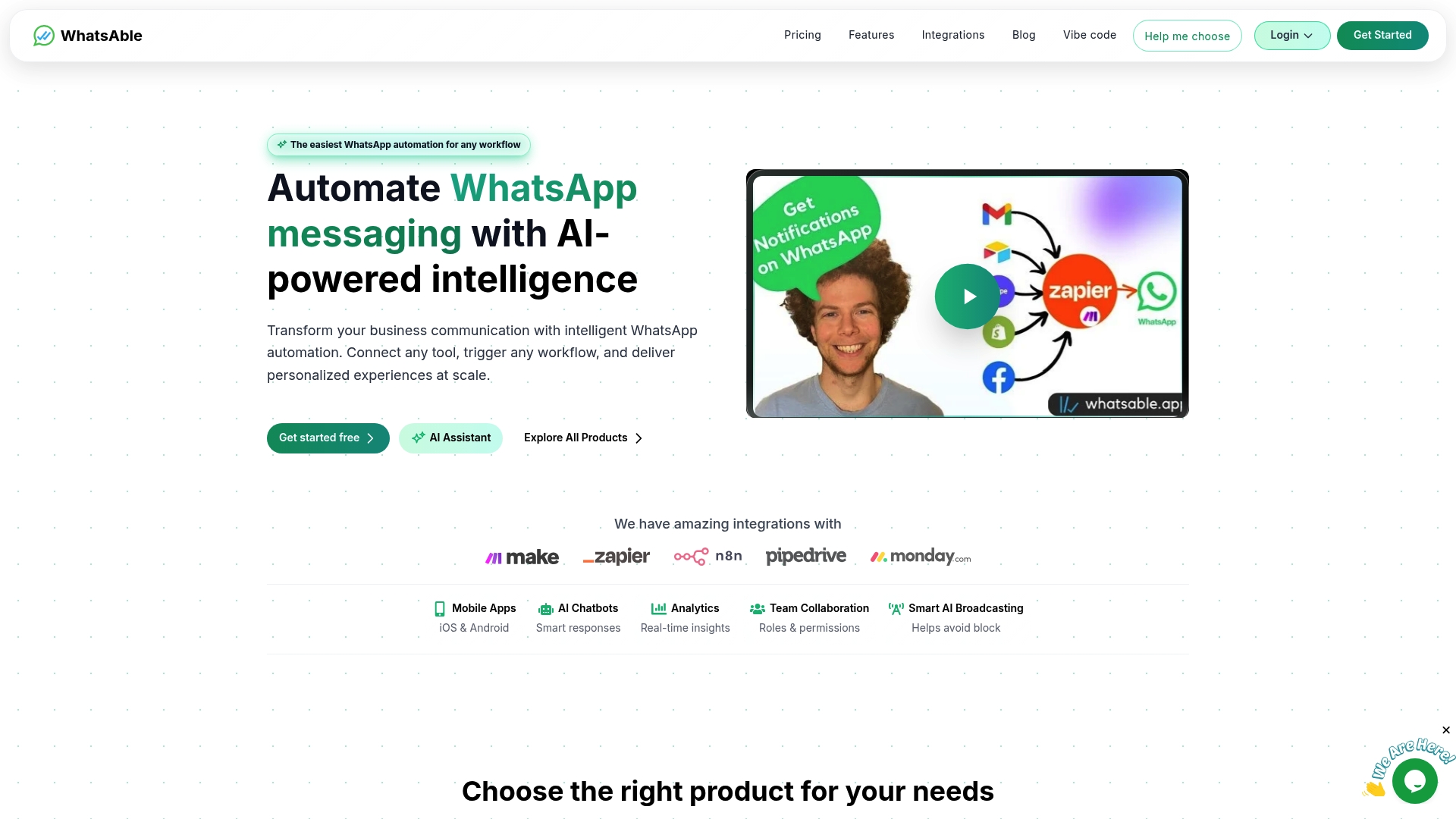
Both products include anti-block measures, AI chatbot support, detailed analytics, and onboarding assistance from a human support team. Whether you are a marketing agency managing ten client accounts or a sales team running high-volume outreach, Whatsable’s platform gives you the infrastructure to scale without the operational overhead. Agencies looking for a branded solution can also explore Whatsable’s white-label option to deliver multi-client WhatsApp management under their own brand.
FAQ
What is multi-client WhatsApp management?
Multi-client WhatsApp management is the practice of handling multiple WhatsApp accounts or sessions from a single centralized platform. It uses multi-tenant architecture, message brokers, and unified routing to let teams serve many clients simultaneously without separate systems for each.
How many clients can one WhatsApp management system handle?
A naive setup with one instance per client breaks down beyond 3–5 clients. A properly built multi-tenant system with containerized infrastructure can handle 50 or more clients while keeping costs below $15 per client per month.
What is the difference between WhatsApp Business App and the WhatsApp Business API?
The WhatsApp Business App supports basic multi-agent chat assignment but has no API or automation. The WhatsApp Business API supports full programmatic control, CRM integration, and multi-agent flows, making it the right choice for teams that need automation at scale.
Why do WhatsApp sessions disconnect in multi-client setups?
Sessions disconnect due to QR code expiration, phone restarts, or network interruptions. The fix is automated reconnection logic built into your session manager, combined with centralized monitoring that alerts your team the moment a session goes offline.
Do I need a developer to set up multi-client WhatsApp management?
Not necessarily. Platforms like Whatsable offer multi-client dashboards designed for non-technical teams, with pre-built integrations for Zapier, Make, and Pipedrive. Developer-controlled setups using WAHA and n8n give more flexibility but require technical knowledge to configure and maintain.

 Elias Navarro
 Priya Deshmukh
 Jonah Reed