 Whatsable







TL;DR:
- WhatsApp appointment scheduling integrates chatbots, calendar systems, and automated templates to streamline booking and management directly within chats. It offers real-time availability, reduces no-shows through timely reminders, and is scalable using the Business API for high-volume businesses. Implementing best practices and preparing message templates in advance ensures compliance and maximizes automation efficiency.
WhatsApp appointment scheduling is defined as the use of WhatsApp’s messaging infrastructure, including chatbots, the Business API, and automated message templates, to let customers book, confirm, and manage appointments directly inside a chat. The role of WhatsApp in appointment scheduling goes well beyond simple message exchange. It connects calendar systems, CRM platforms, and automated reminder workflows into a single conversational interface that customers already use every day. Businesses using this approach report fewer no-shows, lower administrative overhead, and faster booking cycles compared to phone-based or email-based methods. This guide covers how the system works technically, how to implement it, and what best practices actually move the needle.
How does WhatsApp appointment scheduling work?
The technical foundation of WhatsApp appointment scheduling rests on three components working together: a chatbot layer, a calendar integration, and the WhatsApp Business API.
The process starts when a customer initiates a conversation, either by scanning a QR code, clicking a WhatsApp link on your website, or tapping a button in a marketing message. From that point, a chatbot guides the customer through service selection, staff preference, and date and time choice. The bot presents available slots pulled from a live calendar, so the customer never sees a time that is already taken.
The most critical moment in the entire flow is slot locking. The most effective systems lock a calendar slot the instant a user selects a time, preventing race conditions that cause double bookings. Open-source implementations like the WhatsApp AI Receptionist project use FastAPI and Claude AI to deliver this real-time locking with Google Calendar integration.
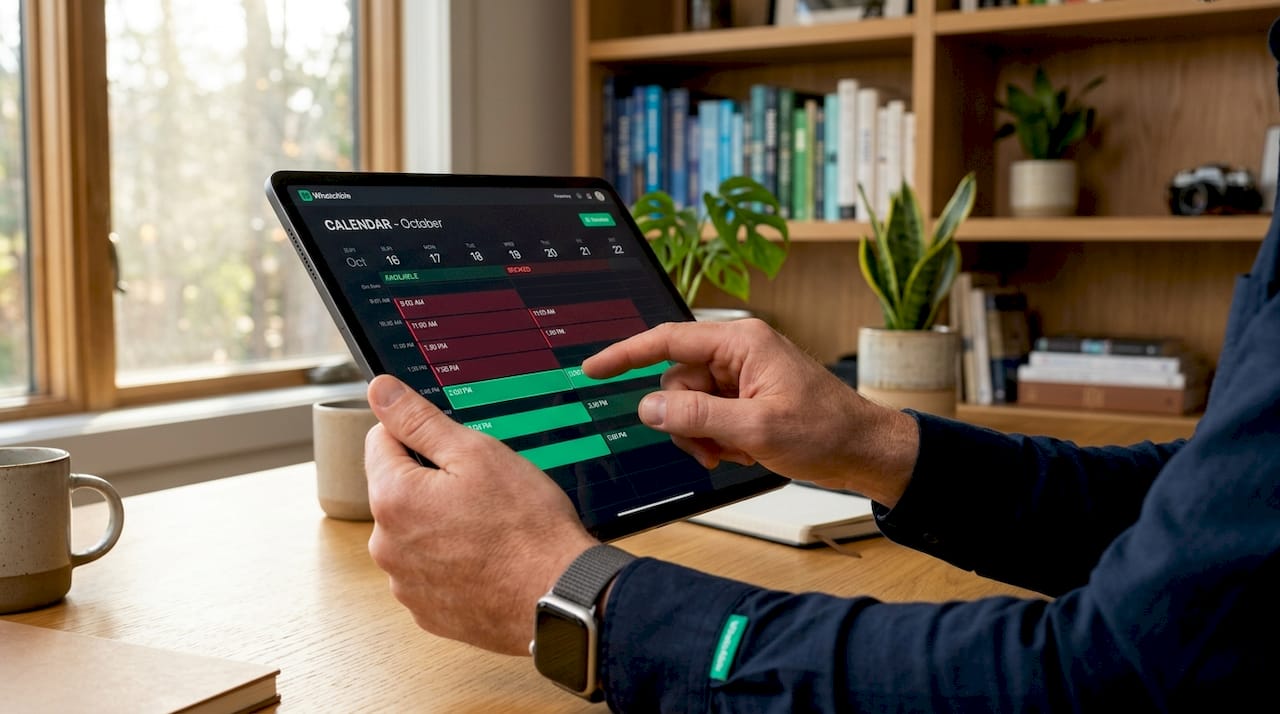
Once a slot is locked, the system sends an automated confirmation message. For any follow-up communication outside the 24-hour window after the customer’s last message, pre-approved message templates are required by WhatsApp policy. This shapes how you design your reminder and confirmation workflows from day one.
Pro Tip: Build your template library before you launch. You need at minimum four templates: booking confirmation, 48-hour reminder, 24-hour reminder, and cancellation notice. Getting these approved by WhatsApp in advance prevents gaps in your automation.
What are the advantages over traditional booking methods?
Traditional booking channels, phone calls, email forms, and static web schedulers, each carry friction that WhatsApp removes.
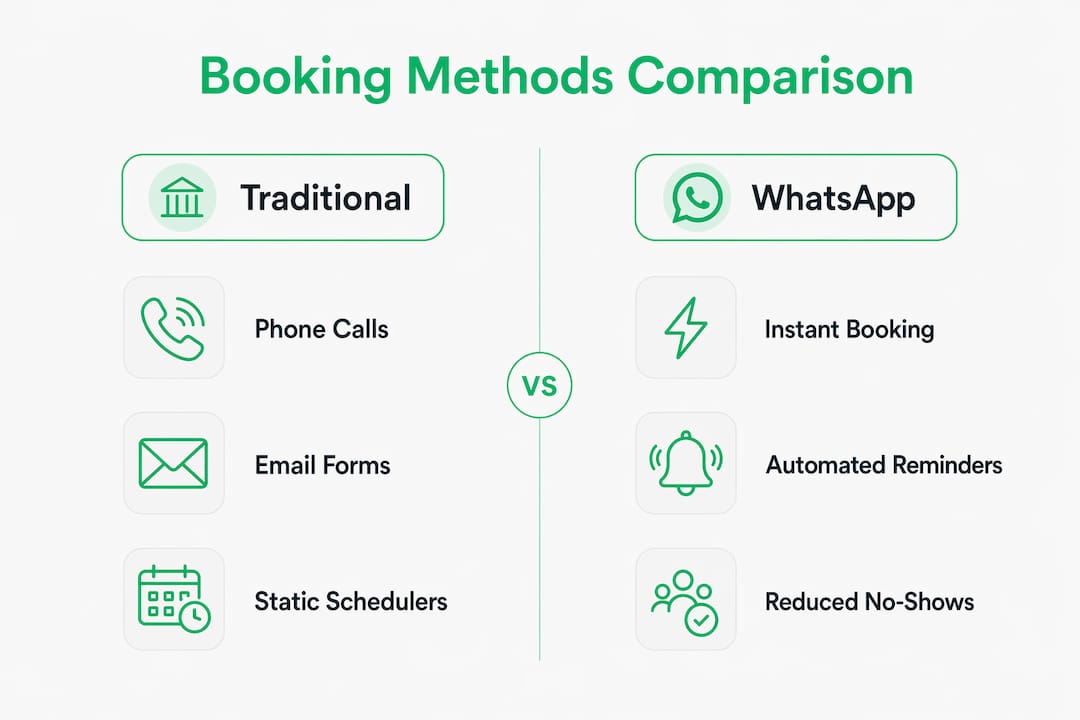
WhatsApp reminders carry higher open rates and faster read times than email or SMS. This matters because an unread reminder is the same as no reminder at all. Two-way communication inside the same thread also means customers can confirm, reschedule, or cancel without calling your front desk.
The advantages compound quickly:
- No app download required. Customers already have WhatsApp installed. There is no friction from downloading a new booking app or creating an account on a third-party platform.
- Asynchronous conversation. Customers can respond at their own pace. The bot holds the booking flow open and picks up exactly where the conversation left off.
- Rich media and interactive buttons. You can send service menus, location pins, and quick-reply buttons inside a single message, reducing back-and-forth exchanges.
- Reduced manual workload. Automation handles routine inquiries and confirmations, freeing your staff for tasks that require human judgment.
- Lower no-show rates. Personalized reminders with interactive reply options give customers a frictionless path to confirm or reschedule, which directly reduces missed appointments.
“Automated WhatsApp scheduling workflows are not only more efficient but also preferred by customers because they reduce phone wait times and simplify bookings from mobile devices.” — WhatsApp API Appointment Booking Guide
For businesses managing high appointment volumes, like medical clinics, salons, or consulting firms, these advantages translate directly into revenue protected from no-shows and hours saved per week.
How to implement WhatsApp scheduling in your business
The first decision is which WhatsApp product fits your scale.
| Feature | WhatsApp Business App | WhatsApp Business API |
|---|---|---|
| Setup complexity | Low, self-serve | Medium to high, requires API access |
| Automation support | Limited, manual replies | Full chatbot and workflow automation |
| Message templates | Not available | Required and pre-approved |
| CRM integration | None | Zapier, Make, Pipedrive, and others |
| Multi-agent support | No | Yes |
| Best for | Solo operators, very small teams | Growing businesses, multi-staff scheduling |
The WhatsApp Business App works for a solo practitioner taking a handful of bookings per week. The moment you need automated reminders, calendar sync, or more than one staff member managing conversations, the WhatsApp Business API is the correct infrastructure.
Setting up the core components
A functional WhatsApp scheduling system needs four pieces connected:
- A chatbot platform that handles conversation logic, service menus, and date selection. Options range from no-code builders to custom implementations using frameworks like FastAPI.
- A calendar integration, typically Google Calendar or Microsoft Outlook, that provides real-time availability and receives confirmed bookings.
- A CRM connection so that appointment data enriches customer profiles and triggers follow-up workflows automatically.
- Pre-approved message templates covering every automated touchpoint: confirmation, reminder, reschedule, and cancellation.
For multi-location or multi-staff businesses, the chatbot dialog must collect location and staff preference before checking availability. Skipping this step causes the system to show slots that are available in one location but not another, which creates booking errors and customer frustration. Careful dialog design at this stage is what separates a reliable system from one that generates complaints.
Pro Tip: Place your WhatsApp booking entry point everywhere a customer might look: your website header, Google Business Profile, email signature, and Instagram bio. Each entry point should deep-link directly into the booking chatbot flow, not just open a generic chat.
Platforms like Zapier, Make, and n8n can connect your WhatsApp API provider to Google Calendar and your CRM without custom code. This is the fastest path to a working integration for most business owners. For teams that need productivity tools alongside scheduling, business productivity apps that integrate with calendar and communication platforms can further reduce context-switching.
What are best practices for reducing no-shows via WhatsApp?
No-show reduction is where WhatsApp scheduling delivers its most measurable return. The strategy depends on timing, message design, and how you handle replies.
Multiple timely reminders sent at 48 hours, 24 hours, and optionally 2 hours before an appointment significantly reduce missed bookings by prompting customers to confirm or reschedule while there is still time to fill the slot. Each reminder should include interactive buttons so the customer can act without typing a single word.
| Reminder timing | Recommended action buttons | Purpose |
|---|---|---|
| 48 hours before | Confirm / Reschedule / Cancel | Early signal to fill cancellations |
| 24 hours before | Confirm / Reschedule | Final commitment check |
| 2 hours before | Confirm / Get directions | Last-minute attendance nudge |
The workflow behind each button matters as much as the button itself. When a customer taps “Reschedule,” the bot should immediately open the booking flow and offer the next available slots. When they tap “Cancel,” the system should release the slot in the calendar and optionally offer a future booking. Handling these replies automatically, without staff involvement, is what makes the system scale.
Personalized reminders with the customer’s name, service type, and staff member name increase response rates compared to generic messages. A message that reads “Hi Maria, your color appointment with Jess is tomorrow at 2pm” performs better than “Reminder: you have an appointment tomorrow.”
Maintaining a library of pre-approved templates for every scenario, confirmations, reminders, cancellations, and reschedules, is not optional. It is the compliance requirement that keeps your automation running without interruption at scale.
What does the future of WhatsApp scheduling look like?
WhatsApp is adding capabilities in 2026 that will make appointment scheduling more accessible and more powerful for businesses of every size.
- Native message scheduling. WhatsApp is rolling out a scheduling interface visible in iOS beta builds, allowing users to compose and schedule messages directly inside the app. For businesses, this means time-sensitive communications like shift changes, payment reminders, and meeting notices can be queued without external tools.
- AI-powered conversational booking. Natural language booking bots are moving from experimental to production-ready. Instead of button-driven menus, customers will describe what they need in plain text and the AI will interpret intent, check availability, and confirm the booking in a single exchange.
- Payments inside WhatsApp. Deposit collection and prepayment at the time of booking will reduce no-shows further by creating financial commitment. WhatsApp Pay is already live in several markets and expanding.
- Richer CRM and workflow triggers. Scheduled messages arriving natively in WhatsApp will complement API-driven automation, giving businesses more flexibility in how they time communications without always relying on third-party middleware.
Pro Tip: Start building your WhatsApp scheduling infrastructure now, before AI-native booking bots become table stakes in your industry. Businesses that have already trained customers to book via WhatsApp will have a significant head start when conversational AI makes the experience even faster.
For remote teams managing client appointments across time zones, pairing WhatsApp scheduling with remote communication tools creates a unified workflow that covers both internal coordination and external client booking.
Key takeaways
WhatsApp appointment scheduling works because it combines real-time calendar locking, pre-approved message templates, and two-way conversational reminders into a single channel customers already trust.
| Point | Details |
|---|---|
| Slot locking prevents double bookings | Lock calendar slots at the moment of selection to eliminate race conditions and booking errors. |
| Template library is non-negotiable | Build and approve templates for confirmations, reminders, and cancellations before going live. |
| Three-stage reminders cut no-shows | Send reminders at 48h, 24h, and 2h with interactive buttons to maximize attendance rates. |
| API beats the Business App at scale | Use the WhatsApp Business API for multi-staff, multi-location, or high-volume scheduling needs. |
| AI and native scheduling are coming fast | Invest in WhatsApp scheduling infrastructure now to stay ahead of AI-driven booking expectations. |
Why most businesses underestimate this channel
I have worked with dozens of business owners who treat WhatsApp as a customer service channel and nothing more. That framing leaves serious efficiency gains on the table. The businesses I have seen get the most out of WhatsApp scheduling are the ones that treat it as a full booking infrastructure, not a messaging add-on.
The most common mistake I see is launching with the WhatsApp Business App and a few saved replies, then wondering why the system breaks down at volume. The Business App is fine for testing the concept. It is not a scheduling system. The moment you have more than one person managing bookings or more than 20 appointments per week, you need the API and a proper chatbot layer.
The second mistake is skipping the template approval process. I have seen businesses build beautiful automation flows that go dark the moment they try to send a reminder outside the 24-hour messaging window. WhatsApp’s policies are not punitive. They are predictable. Build your compliance into the architecture from the start and you will never hit this wall.
What I find genuinely exciting about 2026 is the convergence of native scheduling features and AI-powered booking bots. The businesses that have already built WhatsApp into their customer communication workflow will adopt these upgrades with almost no friction. The ones that waited will spend months catching up. The importance of WhatsApp in scheduling is only going to grow, and the cost of starting late compounds quickly.
— Axel
How Whatsable automates your WhatsApp booking workflow
Whatsable is built specifically for businesses that want to move beyond manual WhatsApp management and into fully automated appointment scheduling. Whatsable connects your WhatsApp channel to Google Calendar, Pipedrive, Zapier, Make, and n8n, so confirmations, reminders, and follow-ups run without staff involvement. The Whatsable Bot handles internal team notifications so your staff always knows about schedule changes in real time. Whether you are running a single-location clinic or a multi-site service business, Whatsable’s platform gives you the chatbot logic, template management, and analytics to run appointment scheduling at scale. Agencies and larger enterprises can also explore white-label options to deliver branded scheduling solutions to their own clients.
FAQ
What is WhatsApp appointment scheduling?
WhatsApp appointment scheduling is the use of WhatsApp chatbots, the Business API, and automated message templates to let customers book, confirm, and manage appointments directly inside a WhatsApp conversation, with real-time calendar sync and automated reminders.
Can WhatsApp manage appointments without staff involvement?
Yes. With the WhatsApp Business API connected to a chatbot platform and a calendar system like Google Calendar, the entire booking flow, including confirmations and reminders, runs automatically without manual input from your team.
How do WhatsApp reminders reduce no-shows?
Sending reminders at 48 hours, 24 hours, and 2 hours before an appointment, each with interactive Confirm, Reschedule, and Cancel buttons, gives customers a frictionless way to act. This significantly reduces missed appointments compared to passive email reminders.
Do I need the WhatsApp Business API or just the Business App?
The WhatsApp Business App works for very small operations with manual booking management. Any business needing automated reminders, CRM integration, multi-staff scheduling, or message templates requires the WhatsApp Business API.
Are WhatsApp scheduling messages subject to platform policies?
Yes. Messages sent outside the 24-hour window after a customer’s last message must use pre-approved templates. Building a compliant template library for every automated touchpoint is required to keep your scheduling automation running without interruption.
 Mira Okonkwo
 Elias Navarro
 Jonah Reed