 Whatsable







TL;DR:
- WhatsApp two-way communication enables real-time, bidirectional messaging between businesses and customers within Meta’s compliance rules. It requires a verified Meta Business Account, a dedicated phone number, and an integration with a BSP for API access. Successful setup leverages AI for routine inquiries while routing complex issues to human agents, all while adhering to the 24-hour messaging window to control costs and improve support quality.
WhatsApp two-way customer communication is defined as a real-time, bidirectional messaging exchange between a business and its customers on WhatsApp, governed by Meta’s Business Platform rules and the 24-hour customer service window. Unlike broadcast-only tools, two-way messaging creates genuine conversations. WhatsApp now has more than 3 billion users globally, making it the dominant support channel in Latin America, India, and the Middle East. Businesses that treat it like a simple chat widget miss the platform’s real value. Meta Business Account verification, Business Solution Provider (BSP) integration, and pre-approved message templates are the three structural pillars that separate compliant, effective programs from ones that stall or get blocked.
What does WhatsApp two-way communication require to get started?
The foundation is a verified Meta Business Account paired with a dedicated phone number that has never been registered on WhatsApp before. API setup via a BSP takes under 2 hours once those two conditions are met. That speed surprises most teams who expect a weeks-long process.

A BSP acts as the licensed gateway between your business and the WhatsApp Business Platform API. Without one, you cannot access the API at all. BSPs handle compliance, message routing, and rate limits on your behalf.
| Requirement | Details |
|---|---|
| Meta Business Account | Must be verified before API access is granted |
| Dedicated phone number | Cannot have an existing WhatsApp account |
| BSP partnership | Required for API access and message routing |
| Pre-approved templates | Needed for outbound messages outside the 24-hour window |
| CRM or automation integration | Connects WhatsApp to your existing support workflow |
Beyond the technical setup, your team needs to decide which automation platform connects WhatsApp to your CRM. Tools like Zapier, Make, n8n, and Pipedrive all support WhatsApp Business Platform integrations. Whatsable is built specifically to handle these connections, including follow-up sequences and bulk messaging with anti-block measures.
Pro Tip: Register your phone number with a business SIM, not a personal one. Mixing personal and business use on the same number creates compliance problems and limits API functionality.
How do you set up and configure WhatsApp two-way communication with AI?
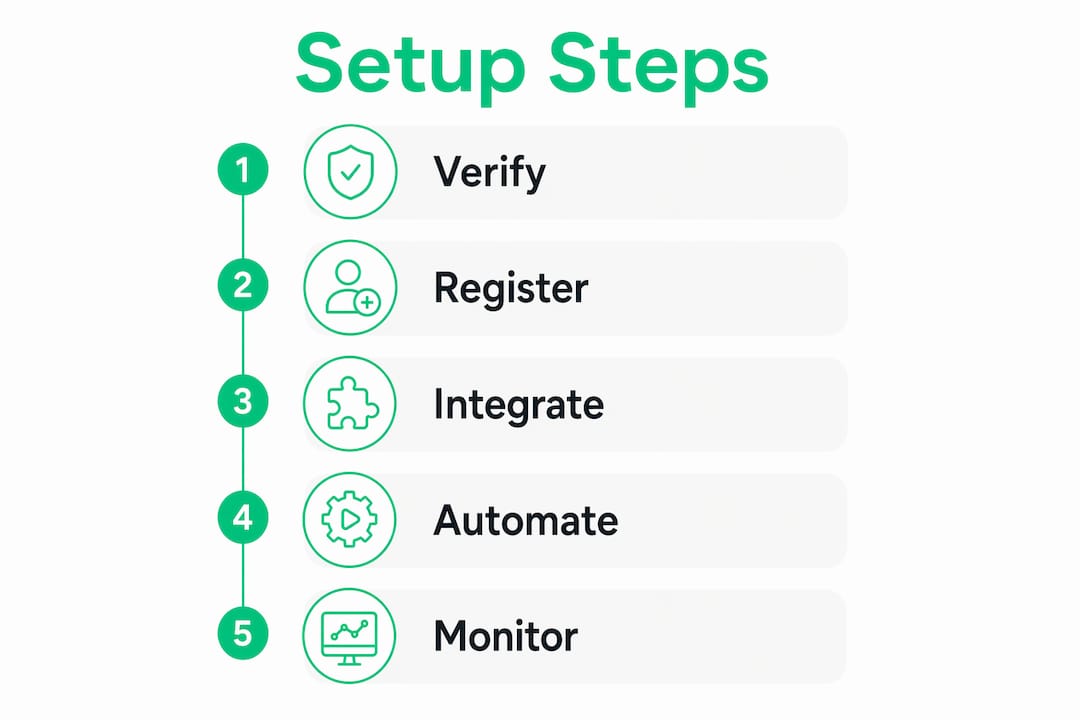
A structured setup process prevents the most common operational failures. Follow these steps in order to go live with a working, AI-assisted support channel.
-
Verify your Meta Business Account. Submit your business documents through Meta’s Business Manager. Approval typically takes 24–48 hours. Do not skip this step; unverified accounts cannot send template messages.
-
Select and connect a BSP. Choose a BSP that supports your region and integrates with your existing CRM. Sign the BSP agreement and complete their onboarding checklist. Most BSPs provide a sandbox environment for testing before going live.
-
Register your dedicated phone number. Submit the number through your BSP’s dashboard. Meta sends a verification code to that number. The process takes minutes once your account is verified.
-
Build your message template library. Write templates for order confirmations, shipping alerts, return reminders, and appointment follow-ups. Submit each for Meta review. Approved templates are the only messages you can send outside the 24-hour window.
-
Deploy an AI chatbot for routine inquiries. AI-driven WhatsApp support achieves 70%–85% containment rates for routine questions, handling them instantly without a human agent. That containment rate means most customers get answers at 2:00 AM without your team being online.
-
Configure escalation rules. Set clear triggers for handing off to a human agent: sentiment detection, keywords like “refund” or “complaint,” or three failed AI responses in a row. Define business hours so the system routes correctly after hours.
-
Test end-to-end before launch. Send test messages through every template. Trigger each escalation rule manually. Confirm that your CRM receives conversation data correctly.
Pro Tip: Configure your AI to collect the customer’s order number or account ID before any escalation. Agents who receive a handoff with full context resolve issues faster and customers never repeat themselves.
What are the best practices for WhatsApp customer engagement and cost control?
The 24-hour messaging window is the single most important rule to understand. Freeform replies are only permitted within this window; outside it, every outbound message must use a Meta-approved template and incurs a charge. The window resets each time a customer sends a message, which creates a practical opportunity: encourage customers to reply, and you extend your free messaging period.
“The 24-hour free messaging window resets on each customer message. Routing human agents within this timeframe avoids costly template message triggers and keeps conversations natural rather than scripted.”
Smart routing is the operational practice that keeps costs down while maintaining quality. Effective routing sends 70%–80% of inquiries to AI and reserves the remaining 20%–30% for human agents handling complex or sensitive cases. The goal is not full automation. It is the right message from the right source at the right moment.
Proactive messaging is an underused tactic. Shipping delay alerts, order confirmations, and return reminders sent as proactive triggers reduce inbound inquiry volume before customers even think to ask. Fewer inbound questions mean lower agent workload and lower template costs.
- Send proactive updates only when they add clear value. Unnecessary messages train customers to ignore your channel.
- Match tone to context. A shipping delay message should be direct and apologetic, not promotional.
- Tone, accuracy, and timing in automated responses directly affect whether customers stay engaged or opt out.
- Never send a template message when a customer has already opened a conversation. Use freeform text instead to avoid charges and keep the exchange natural.
Pro Tip: Schedule a weekly audit of your template approval queue. Rejected templates that sit unreviewed block your ability to reach customers outside the 24-hour window, which can stall entire support workflows.
What common challenges arise in WhatsApp two-way communication?
Even well-configured systems run into predictable problems. Knowing them in advance cuts resolution time significantly.
-
Messages arrive after the 24-hour window closes. The customer sent a message, your team missed it, and now any reply requires a paid template. Fix this by setting automated alerts for conversations that have been open for 20 hours without a response. That buffer gives agents time to reply before the window closes.
-
Template messages get rejected by Meta. The most common reasons are promotional language in a support template, missing variable placeholders, or category mismatches. Review Meta’s template guidelines before submission. Keep support templates factual and free of sales language.
-
Customers repeat their issue after agent handoff. This happens when the AI does not pass conversation context to the human agent. Multiple agents managing conversations within a unified knowledge base prevents this. Every agent sees the full thread, the customer’s account data, and the AI’s prior responses before they type a single word.
-
CRM integration drops conversation data. This usually points to a webhook configuration error or an API rate limit being hit. Test your integration with high message volumes in a sandbox before going live. Set up error logging so dropped events surface immediately rather than silently failing.
-
AI gives inaccurate answers and damages trust. Containment rates mean nothing if the answers are wrong. Audit your AI’s knowledge base monthly. Flag conversations where customers escalated immediately after an AI response, as those are the clearest signal that the bot’s information is outdated or incorrect.
Pro Tip: Build a “conversation handoff card” into your escalation flow. The card should include the customer’s name, issue summary, and the last three AI responses. Agents who receive this card resolve cases in fewer exchanges.
Key Takeaways
WhatsApp two-way customer communication works best when Meta compliance, AI automation, and human escalation operate as a single coordinated system rather than three separate tools.
| Point | Details |
|---|---|
| Verify before you build | A confirmed Meta Business Account and a clean phone number are non-negotiable prerequisites. |
| Respect the 24-hour window | Freeform replies are free; messages sent after the window closes require paid, pre-approved templates. |
| AI handles volume, humans handle complexity | Target 70%–85% AI containment and reserve agents for escalations that require judgment. |
| Proactive messages reduce inbound load | Shipping alerts and order updates sent before customers ask cut inquiry volume significantly. |
| Unified context prevents repetition | A shared knowledge base lets any agent pick up a conversation without making the customer start over. |
Why the “set it and forget it” mindset fails WhatsApp support
I have seen support teams invest weeks in WhatsApp setup, go live with a solid AI configuration, and then watch performance degrade within 90 days. The culprit is almost always the same: they treated the launch as the finish line.
WhatsApp is not a static channel. Meta updates its template policies, messaging window rules, and API rate limits on a rolling basis. A template that passed review in march may get flagged in september under a revised category definition. Teams that audit their setup quarterly catch these shifts early. Teams that do not end up with blocked templates and frustrated customers.
The other pattern I see is over-automation. Businesses chase the highest possible AI containment rate as if 100% is the goal. It is not. Optimal two-way communication requires handoff protocols that preserve conversation context and tone between AI and human agents. A customer who gets a warm, informed handoff to a human agent trusts the brand more than one who gets a technically correct but cold AI response to a sensitive complaint.
Response speed within the 24-hour window matters more than most teams realize. Modern customers expect immediate, contextual replies on WhatsApp, not the delayed responses they tolerate on email. If your median response time inside the window exceeds 10 minutes, you are leaving customer satisfaction on the table regardless of how good your templates are.
The teams that get the most from WhatsApp treat it as a living system. They review escalation logs weekly, update their AI knowledge base when products change, and test new templates before the old ones expire. That discipline is what separates a channel that compounds in value from one that plateaus.
— Axel
How Whatsable supports your WhatsApp communication setup
Getting WhatsApp two-way messaging right requires the right infrastructure from day one. Whatsable connects directly to the WhatsApp Business Platform API and integrates with Zapier, Make, n8n, and Pipedrive, so your existing workflows stay intact. The platform includes AI-powered chatbots, a centralized knowledge base for multi-agent teams, and bulk messaging with anti-block measures built in.
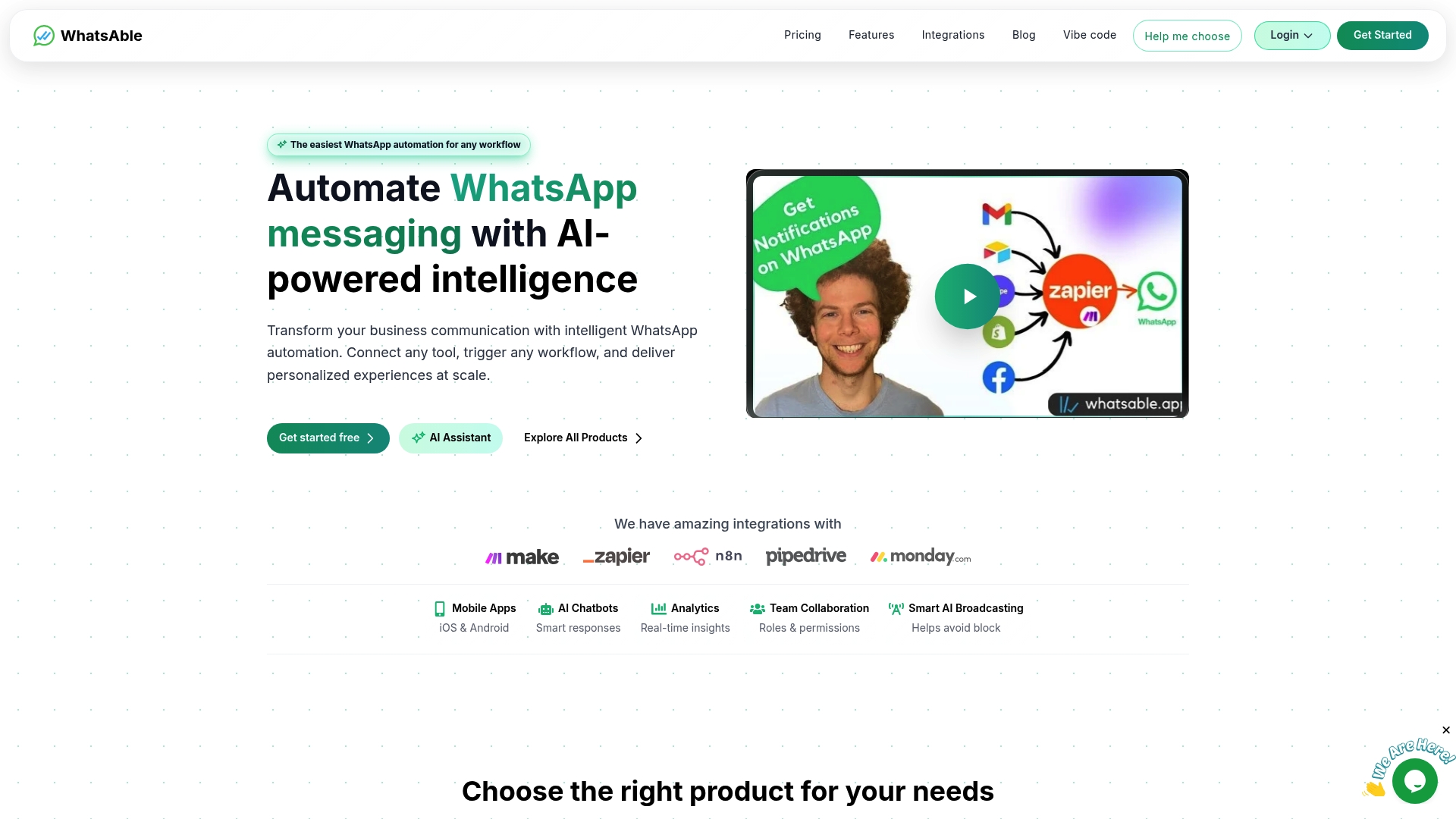
Whatsable handles the technical complexity so your support team focuses on conversations, not configuration. From onboarding support to detailed analytics, every feature is built for teams that need reliable, high-volume WhatsApp messaging without a dedicated engineering team. Review the full Whatsable pricing plans to find the tier that fits your team size and message volume.
FAQ
What is WhatsApp two-way customer communication?
WhatsApp two-way customer communication is a real-time, bidirectional messaging exchange between a business and its customers through the WhatsApp Business Platform. It requires Meta Business Account verification, a BSP connection, and compliance with the 24-hour messaging window rules.
How does the 24-hour messaging window work?
The 24-hour window opens each time a customer sends a message and allows freeform, cost-free replies during that period. Outside the window, businesses must use Meta-approved template messages, which incur a charge.
What containment rate can AI achieve on WhatsApp?
AI-driven WhatsApp support achieves 70%–85% containment for routine inquiries, resolving them instantly without a human agent. The remaining 15%–30% of cases are escalated to agents for complex or sensitive issues.
How long does WhatsApp Business Platform API setup take?
Setup via a BSP typically takes under 2 hours once you have a verified Meta Business Account and a dedicated phone number with no prior WhatsApp history.
How do multiple agents share WhatsApp conversations without losing context?
A unified knowledge base lets every agent see the full conversation thread and prior AI responses before responding. Shared context across agents prevents customers from repeating their issue and reduces resolution time.
 Elias Navarro
 Mira Okonkwo