 Whatsable






If you searched “whatsable api,” you probably want one thing first: where the key lives. Here it is.
Open the Whatsable console, then click API Key in the left sidebar. That screen is API Key Management. Copy the key from there (keep it private — never paste it into a public repo or client-side code).
Live path: notifyer.whatsable.app/api-key.
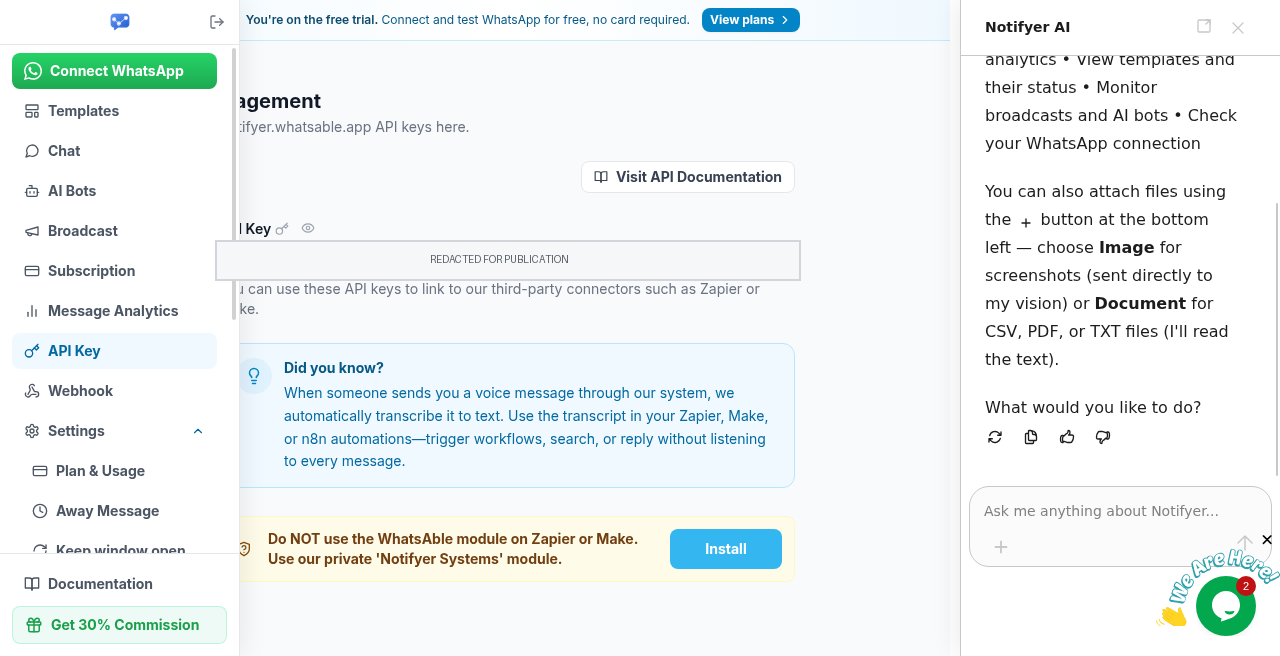
How to use the Whatsable API key
Once you have the key, the docs are the source of truth for headers and request shapes. Start here: docs.whatsable.app/api-reference/introduction.
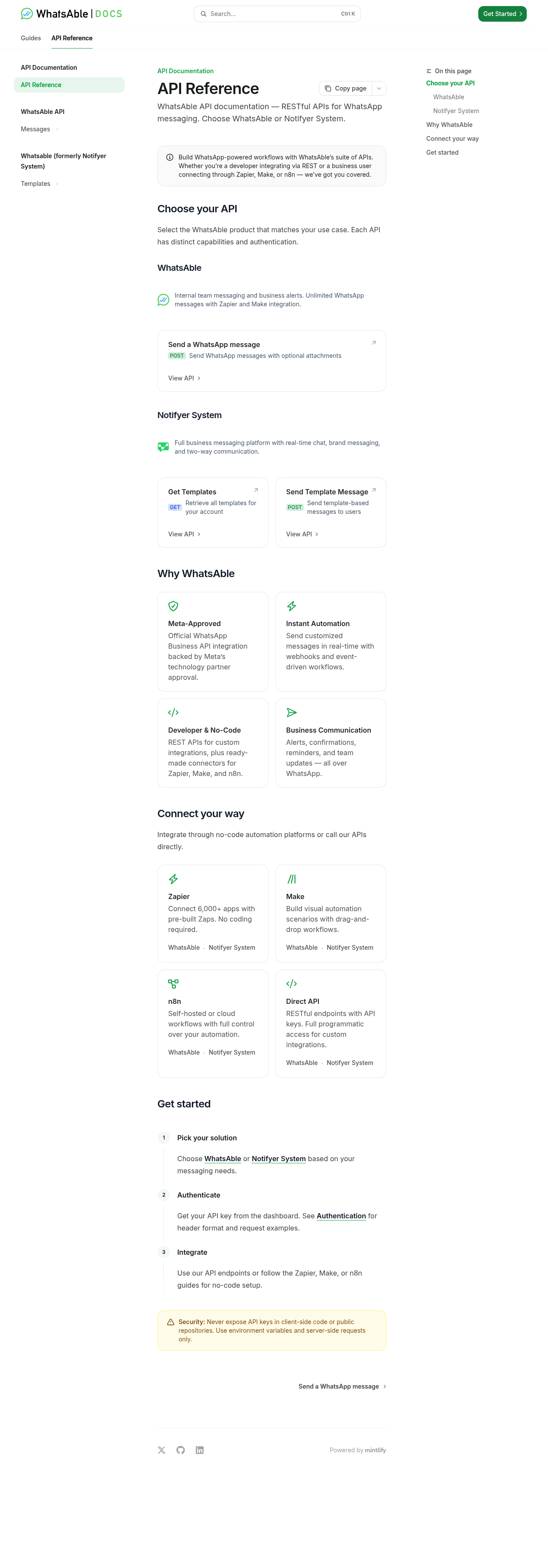
On that page, “Get started” is blunt:
- Pick your solution
- Authenticate — get your API key from the dashboard (same console screen above)
- Integrate via REST or a no-code connector
Auth details live on the Authentication guide linked from the docs. In short, the docs show two labeled API surfaces:
- Whatsable — API key in an
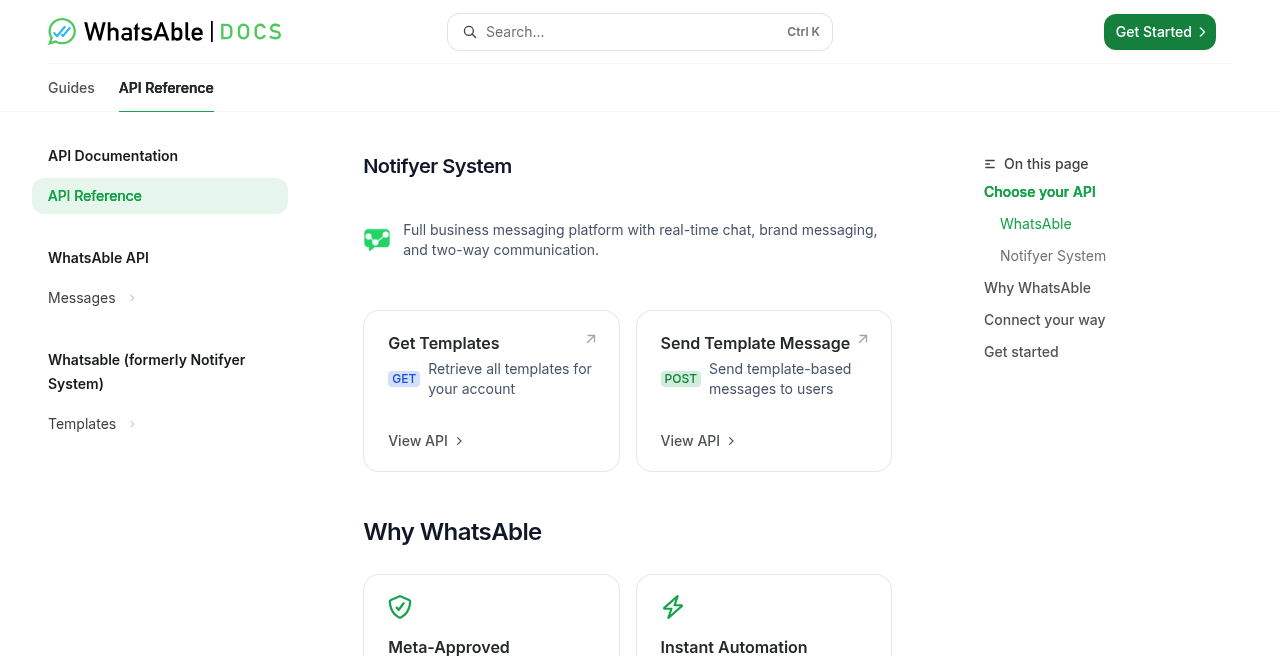
X-API-Keyheader for messaging calls documented under the Whatsable API - A second surface labeled Whatsable / Notifier System in the console and docs UI — Bearer token style for that surface’s documented endpoints
In prose we call the product Whatsable. When you see “Whatsable” or “Notifier System” in the sidebar or headings, treat that as the console/docs label for that API group — not a separate product brand to use in your own copy.
Store the key like a secret
Don’t hardcode it. Put it in environment variables on the server (or in your automation tool’s secret store). If you’re quoting the Agent Skills / secrets pattern, names like NOTIFYER_API_TOKEN and NOTIFYER_API_BASE_URL show up in the official skills docs — use those only when you’re following that pattern, and never commit the values.
Security line from the docs worth repeating: never expose API keys in client-side code or public repositories. Server-side requests only.
Quick checklist
- Log into the Whatsable console
- Open API Key → copy the key from API Key Management
- Read API Reference → Introduction and Authentication for the header format that matches the surface you’re calling
- Wire the key into Zapier, Make, n8n, or your own backend — still using only documented endpoints
That’s the whole path: key from the console sidebar, usage from the docs. If something 401s, re-check the header mode for that surface and that the key wasn’t truncated when you pasted it.
 Priya Deshmukh
 Mira Okonkwo