 Whatsable






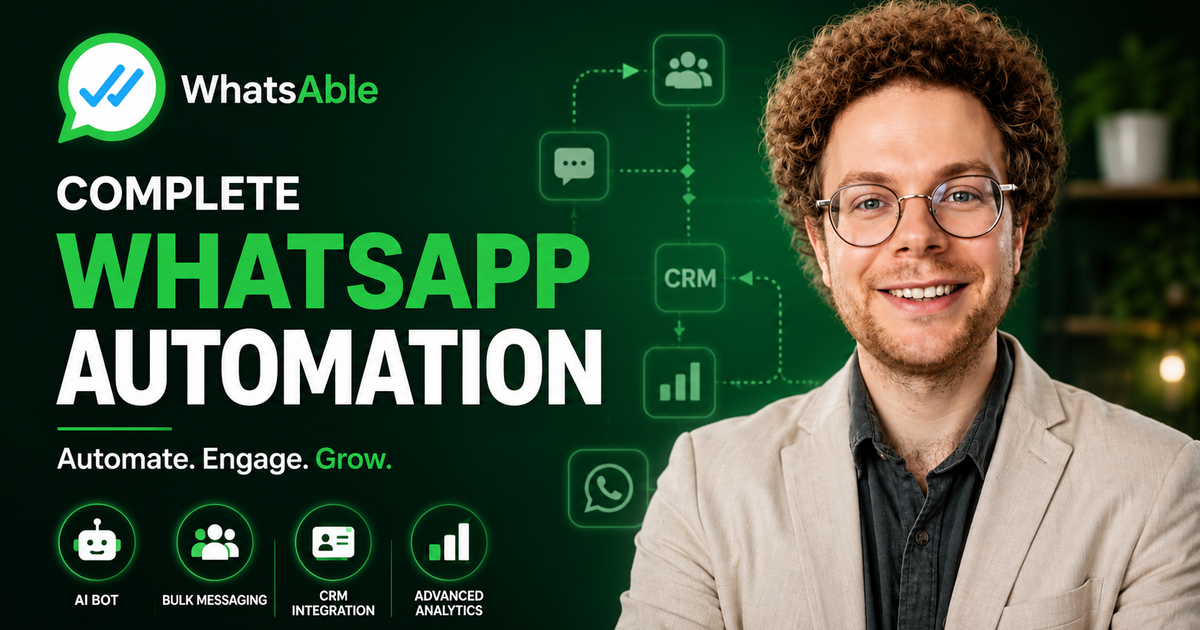
WhatsApp has become one of the most important communication channels for businesses. But as your lead volume grows, managing WhatsApp conversations manually can quickly become a full-time job.
Someone has to respond to new leads, answer repetitive questions, qualify prospects, follow up with people who stop responding, send campaign messages, update the CRM, notify sales teams, and make sure no important conversation gets missed.
The good news is that much of this process can now be automated.
With WhatsApp automation, businesses can connect WhatsApp with their CRM, AI tools, automation platforms, and internal workflows to create a system that responds to customers, qualifies leads, sends follow-ups, launches campaigns, and keeps teams informed automatically.
In this guide, we'll explore how businesses can use WhatsApp automation with Whatsable to automate lead qualification, AI conversations, follow-ups, bulk messaging, CRM notifications, webhooks, team management, and even AI-coded applications.
Explore Whatsable's WhatsApp automation platform
🎥 Watch the Full Video
Want to see these WhatsApp automation features in action?
Watch the full video below to see how AI-powered WhatsApp conversations, automated follow-ups, bulk campaigns, CRM integrations, webhooks, and team management work in practice.
The video walks through the complete system and demonstrates how businesses can use WhatsApp as an automated part of their sales and customer communication process.
What Is WhatsApp Automation?
WhatsApp automation is the process of using software, APIs, AI, and integrations to automatically manage WhatsApp communication.
Instead of having an employee manually send every message, automation can trigger a WhatsApp message when something happens.
For example:
New lead enters CRM → WhatsApp message sent → AI qualifies lead → CRM updated → follow-up scheduled → sales team notified
This means WhatsApp doesn't have to operate as a separate communication channel. It can become part of your existing business workflow.
With Whatsable, WhatsApp can connect with automation platforms such as Zapier, Make, and n8n, as well as CRM and business tools such as Pipedrive and Monday.com.
1. Automate WhatsApp Lead Qualification
One of the biggest opportunities for WhatsApp automation is lead qualification.
Imagine someone submits a form or sends your business a WhatsApp message.
Instead of immediately assigning the conversation to a salesperson, an AI chatbot can begin the conversation.
It can:
- Ask qualifying questions
- Understand what the prospect is looking for
- Answer common questions
- Explain your products or services
- Collect relevant information
- Identify high-intent leads
- Label conversations
- Hand conversations over to a human when necessary
This creates an automated first layer between your business and incoming leads.
Why is this useful?
Sales teams often spend a huge amount of time talking to leads who aren't ready to buy.
An AI-powered WhatsApp workflow can handle the initial conversation and help identify which leads deserve immediate human attention.
Instead of your sales team asking the same five questions repeatedly, the AI can handle the first part of the conversation and pass qualified prospects to the right person.
Whatsable's AI chatbot capabilities include automated responses, conversation labeling, CRM synchronization, and human handoff.
2. Give Your WhatsApp AI Bot Your Business Knowledge
A useful AI chatbot needs more than generic AI knowledge.
It needs to understand your business.
That means giving the bot information such as:
- Products and services
- Pricing
- Frequently asked questions
- Policies
- Documentation
- Sales information
- Support information
- Company information
- Instructions for handling different situations
You can also define how the AI should communicate.
For example, you can specify:
Be helpful and conversational. Keep responses concise. Don't make promises about things that aren't in the knowledge base. Escalate specific questions to a human.
The result is an AI assistant that is much more closely aligned with your business instead of a generic chatbot.
Whatsable's AI bot system supports business knowledge and can work with information such as documents and structured data.
3. Automatically Hand Conversations Over to Humans
AI automation doesn't mean that humans have to disappear from the conversation.
In fact, one of the most important parts of a good WhatsApp automation system is knowing when to stop automating.
For example, a business may want a human to take over when:
- A customer specifically asks for a person
- The conversation becomes sensitive
- The AI doesn't know the answer
- The customer is ready to make a purchase
- A sales representative needs to negotiate
- Certain keywords or situations are detected
Whatsable can also detect when a team member takes over a conversation from the WhatsApp Business app and pause the AI, preventing the bot and human from responding at the same time.
This creates a much more natural customer experience:
AI handles routine conversations → Human takes over when needed
4. Automate WhatsApp Follow-Ups With AI
This is one of the most powerful use cases for WhatsApp automation.
A common problem in sales is that a lead shows interest but then stops responding.
The salesperson may intend to follow up tomorrow.
Then tomorrow becomes next week.
Eventually, the lead gets forgotten.
An automated WhatsApp follow-up system can solve this.
Instead of simply sending the exact same message at fixed intervals, an AI-powered sequence can determine whether a follow-up is appropriate based on the conversation.
For example:
Lead responds → Conversation stops → Wait → Analyze conversation → Decide whether to follow up → Send message → Wait → Check again
The system can also stop the sequence when the customer responds.
This is similar to automated email sales sequences, but inside WhatsApp.
Whatsable supports automated WhatsApp sequences and follow-ups that can stop when a recipient replies.
5. Build Smarter Follow-Up Sequences
Not every lead should receive the same follow-up schedule.
For example, you might want:
High-intent lead
- Follow up after a few hours
- Follow up the next business day
- Send another message two days later
Medium-intent lead
- Follow up after one day
- Follow up several days later
- Send a final check-in
Low-intent lead
- Follow up less frequently
- Move them into a longer-term campaign
You can also configure rules around when messages should be sent.
For example, you may not want automated messages going out late at night or during weekends.
This makes automated follow-ups feel more like a real sales process rather than a robotic sequence.
6. Send Bulk WhatsApp Messages to Specific Segments
WhatsApp automation isn't only about one-to-one conversations.
Businesses can also use it for targeted campaigns.
For example, you could create segments for:
- New leads
- Existing customers
- Trial users
- Past customers
- Customers who haven't purchased recently
- Webinar attendees
- Event registrants
- High-value customers
- Leads from a particular campaign
Instead of sending the same message to everyone, you can create targeted campaigns based on your customer data.
Whatsable supports bulk messaging campaigns using WhatsApp templates, dynamic variables, scheduling, labeling, and delivery analytics.
7. Personalize Bulk WhatsApp Messages
Bulk messaging doesn't have to mean sending an identical message to every person.
You can use dynamic variables to personalize your templates.
For example:
Hi {{name}}, we noticed you were interested in {{product}}...
The recipient sees a personalized message while the campaign can still be managed automatically.
This is particularly useful for:
- Sales campaigns
- Event reminders
- Appointment notifications
- Product announcements
- Customer reactivation
- Promotions
- Lead nurturing
Personalization can make large campaigns feel much more like individual conversations.
8. Schedule WhatsApp Campaigns
You don't necessarily need to launch a campaign immediately.
WhatsApp campaigns can be scheduled so your messages are delivered according to your planned communication schedule.
A typical workflow could look like:
Upload contacts → Select template → Map variables → Test → Schedule → Launch → Monitor analytics
For larger campaigns, delivery optimization can also help manage how messages are sent instead of attempting to push an entire list at once. Whatsable currently describes its Smart Bulk WhatsApp Campaign as a delivery-optimized approach designed to reduce the risk of business numbers being blocked.
As always, businesses should follow WhatsApp and Meta's applicable messaging rules and use appropriate templates and consent practices.
9. Track WhatsApp Campaign Analytics
Automation becomes much more valuable when you can measure the results.
Instead of simply sending thousands of messages and hoping they work, you can analyze campaign performance.
Useful metrics include:
- Delivery rate
- Read rate
- Replies
- Campaign performance
- Template performance
- Response behavior
This helps answer important questions:
Which message gets the most replies?
Which campaign generates the most engagement?
Which template should we stop using?
Which audience responds best?
Whatsable provides analytics for WhatsApp campaigns and message activity so businesses can monitor performance.
10. Connect WhatsApp to Your CRM
One of the biggest advantages of WhatsApp automation is connecting it to the rest of your business systems.
For example, imagine a new deal is created in Pipedrive.
You could automatically trigger:
Pipedrive → Automation → WhatsApp → Customer
Or when a deal moves to a specific stage:
CRM stage changes → WhatsApp template sent → Customer receives update
The same concept can work for other business events.
For example:
- New lead created
- Deal won
- Deal lost
- Appointment booked
- Order created
- Customer status changed
- Payment received
- Support ticket updated
Whatsable supports integrations with platforms including Zapier, Make, n8n, Pipedrive, and Monday, allowing WhatsApp messages to become part of larger business workflows.
11. Automate WhatsApp With Zapier, Make and n8n
If your business already uses automation platforms, WhatsApp can become another action inside your workflows.
Zapier
A simple example:
New lead → Send WhatsApp message → Create task for sales representative
Make
You can build more complex visual workflows:
Form submission → Enrich lead → Check CRM → Send WhatsApp → Wait → Check response → Notify sales
n8n
For businesses that need more flexibility or prefer self-hosted automation, n8n can connect WhatsApp events to AI, databases, CRMs, and other services.
Whatsable has an official n8n integration that supports WhatsApp triggers and actions, including incoming messages, templates, media, scheduling, follow-ups, labels, and contact updates.
Learn more about Whatsable + n8n automation
12. Use Webhooks for Advanced WhatsApp Automation
For developers and automation specialists, webhooks open up even more possibilities.
A webhook can notify another system when an event occurs in WhatsApp.
For example:
Customer sends WhatsApp message → Webhook → Automation platform → AI → CRM → Response
You can use this to:
- Update CRM records
- Trigger AI workflows
- Store conversations
- Send notifications
- Create support tickets
- Update customer profiles
- Trigger external applications
Webhook delays can also be useful when multiple events happen close together and you want your automation to collect the relevant information before triggering the next step.
This is particularly useful for advanced workflows where WhatsApp is just one component of a larger automation architecture.
13. Add WhatsApp to AI-Coded and Vibe-Coded Apps
Another interesting use case is adding WhatsApp directly into applications built with AI coding tools.
Today, businesses can build applications using tools such as Lovable, Cursor, Claude Code, GitHub Copilot, and other AI coding environments.
Whatsable provides an Agent Skills approach that allows AI coding agents to configure and operate WhatsApp workflows programmatically. Its current system includes capabilities for workspace onboarding, broadcast campaigns, live chat operations, AI bot management, webhooks, and analytics.
This opens up an interesting possibility:
Your application + WhatsApp + AI + CRM + automation
For example, imagine a custom SaaS application where:
- A user creates an account.
- Your application detects the signup.
- WhatsApp sends a welcome message.
- An AI assistant answers questions.
- The customer requests help.
- The application creates a support ticket.
- A team member takes over the WhatsApp conversation.
WhatsApp becomes part of the application itself rather than an isolated communication tool.
Explore Whatsable's vibe-coding capabilities
14. Keep Your WhatsApp Conversation Window Active
WhatsApp has rules around business-initiated conversations and messaging windows.
This means businesses need to think carefully about when and how follow-up messages are sent.
An automated workflow can help manage these conversations by scheduling appropriate follow-ups and using approved templates when required.
The important idea is that your automation should not simply send messages whenever you want.
It should understand the rules of the WhatsApp Business platform and structure campaigns accordingly.
15. Create an Automated Away Message
Not every business operates 24/7.
If someone contacts your business outside business hours, you can automatically send an away message.
For example:
Thanks for contacting us. Our team is currently offline. We'll get back to you during our business hours.
You can configure business hours and use automated away messaging to set expectations for customers.
For companies without 24/7 AI support, this is a simple but useful WhatsApp automation feature.
16. Give Your Team Access to Only the Conversations They Need
WhatsApp automation becomes even more useful when multiple employees are involved.
Imagine you have:
- Sales representatives
- Customer support
- Account managers
- Operations staff
You probably don't want every employee to see every customer conversation.
A label-based team management system can help solve this.
For example:
Sales → Sales-labeled conversations
Support → Support-labeled conversations
VIP team → VIP conversations
This allows a business to operate from one WhatsApp number while controlling which conversations different team members can access.
Whatsable's team management features include roles, permissions, labels, member-specific access, and visibility into which team member sent a message.
17. Know Who on Your Team Sent Each Message
When several employees work from the same WhatsApp inbox, accountability becomes important.
You want to know:
- Who responded?
- How quickly did they respond?
- Which conversations are assigned to them?
- How many messages did they send?
- Which leads are being handled?
A shared team inbox combined with labels and message attribution can provide much better visibility than having employees use disconnected WhatsApp accounts.
This can be especially valuable for sales and customer support teams.
What Can You Automate With WhatsApp?
Once WhatsApp is connected to your CRM and automation stack, the possibilities become much larger.
Here are some practical examples:
Business Process
Possible Automation
New lead
Automatically send WhatsApp welcome message
Lead qualification
AI asks qualifying questions
Sales follow-up
AI follows up when a lead stops responding
CRM update
WhatsApp message triggered by CRM event
Appointment
Send confirmation and reminder
Customer support
AI answers common questions
Campaigns
Send targeted WhatsApp broadcasts
Reactivation
Follow up with inactive customers
Internal alerts
Notify team members on WhatsApp
Deal updates
Notify customers when CRM status changes
AI application
Add WhatsApp directly into a custom app
Team management
Route conversations using labels
A Simple WhatsApp Automation Workflow
If you're starting from scratch, you don't need to automate everything on day one.
A simple workflow could look like this:
Step 1: Connect WhatsApp
Connect your WhatsApp Business setup to your automation platform.
Step 2: Connect Your CRM
Connect tools such as Pipedrive, Monday, Zapier, Make, or n8n.
Step 3: Create Message Templates
Prepare the messages you want to use for different situations.
Step 4: Build Your AI Bot
Give the bot your product information, FAQs, tone of voice, and escalation instructions.
Step 5: Add Follow-Ups
Define when the AI should follow up and when it should stop.
Step 6: Add Human Handoff
Decide which conversations require a salesperson or support agent.
Step 7: Launch Campaigns
Create targeted broadcast campaigns for your existing audience.
Step 8: Monitor Analytics
Track delivery, reads, replies, and overall campaign performance.
This approach allows you to gradually replace repetitive manual tasks with automation.
Why WhatsApp Automation Matters for Growing Businesses
The biggest benefit of automation isn't simply sending more messages.
It's reducing the amount of repetitive work your team has to perform.
Without automation, a growing business might have employees spending hours:
- Copying information between WhatsApp and a CRM
- Answering the same questions
- Checking which leads need follow-up
- Sending reminders
- Updating customer records
- Notifying salespeople
- Managing campaign lists
- Reporting campaign performance
Automation can turn many of these repetitive tasks into workflows that run in the background.
The result is a business process where your team spends more time on conversations that actually require human attention.
WhatsApp Automation Isn't Just About Bots
It's easy to think of WhatsApp automation as simply an AI chatbot.
But the bigger opportunity is building an entire WhatsApp business workflow.
Think of the system as several layers:
↓
AI chatbot
↓
Lead qualification
↓
CRM
↓
Automation platform
↓
Follow-ups
↓
Team notifications
↓
Analytics
Once these components are connected, WhatsApp can become a central part of your sales, marketing, and customer support infrastructure.
Is WhatsApp Automation Right for Your Business?
WhatsApp automation can be particularly useful if your business:
- Receives a high volume of WhatsApp inquiries
- Has a sales team following up with leads
- Repeats the same customer support answers
- Uses a CRM
- Runs lead-generation campaigns
- Sends appointment or order notifications
- Needs automated customer follow-ups
- Has multiple people managing customer conversations
- Uses Zapier, Make, or n8n
- Is building a custom or AI-powered application
If your team is spending significant time manually managing WhatsApp conversations, there is a good chance that at least some of those processes can be automated.
Getting Started With WhatsApp Automation
You don't necessarily need to build a complex system from scratch.
Whatsable is designed to bring WhatsApp messaging, AI, automation, bulk campaigns, follow-ups, team management, analytics, and integrations into one system.
The platform currently supports integrations including Zapier, Make, n8n, Pipedrive, Monday, and API-based workflows, while also offering AI chatbots, automated sequences, bulk messaging, and team collaboration features.
Start automating WhatsApp with Whatsable
If you want to see how the system could work for your specific business process, you can also book a personalized demo.
For pricing and plan information:
For AI chatbot setup and technical guidance:
Explore Whatsable's AI chatbot guide
Final Thoughts
WhatsApp has evolved from being simply a messaging application into a powerful business communication channel.
With the right automation infrastructure, businesses can use WhatsApp to automatically:
Capture leads → Qualify prospects → Answer questions → Follow up → Update the CRM → Notify sales teams → Run campaigns → Analyze results
The real value comes from connecting WhatsApp with the systems you already use.
Whether you're running a sales operation, managing customer support, building automated marketing campaigns, or developing an AI-powered application, WhatsApp can become an automated part of the entire customer journey.
And instead of your team spending hours every month on repetitive WhatsApp tasks, automation can handle the routine work while your people focus on the conversations that actually matter.

 Elias Navarro
 Jonah Reed
 Mira Okonkwo