 Whatsable





TL;DR:
- A WhatsApp verified business account displays a green checkmark badge confirming Meta’s independent review of the business’s legitimacy. This verification, which requires a manual approval process, enhances customer trust and unlocks advanced communication tools like chatbots and multi-agent inboxes. Unlike Meta Verified subscriptions, the verified badge is free and signifies an official, credible presence across WhatsApp platforms.
Most business owners assume that paying for a subscription gets them the green checkmark on WhatsApp. It doesn’t. Understanding what is a WhatsApp verified business account means knowing the difference between two separate systems Meta runs, and why only one of them signals genuine credibility to your customers. This article breaks down exactly what the verified status means, how it differs from paid options, what it unlocks for your business, and how to pursue it the right way.
Table of Contents
- Key takeaways
- What is a WhatsApp verified business account
- Benefits of verified WhatsApp business accounts
- How to verify your WhatsApp business account
- How to recognize genuine verified accounts
- My honest take on WhatsApp verification
- Take your verified account further with Whatsable
- FAQ
Key takeaways
| Point | Details |
|---|---|
| Verification is not purchasable | The green checkmark requires manual review by Meta, not a subscription payment. |
| Badge appears across multiple touchpoints | The verified badge shows in calls, profiles, and context cards for maximum customer visibility. |
| Verification unlocks advanced tools | Verified accounts get access to chatbots, WhatsApp Flows, and multi-agent inboxes to scale communication. |
| Eligibility has specific criteria | You need an active profile, message history, and a supported country location to qualify. |
| Fraud protection is a core benefit | The badge protects your brand from impersonation and builds customer trust in digital channels. |
What is a WhatsApp verified business account
A WhatsApp verified business account is an account that displays a green checkmark badge confirming that Meta has independently reviewed and verified the business’s identity and legitimacy. This is not a cosmetic upgrade. It is a formal signal that the entity behind the account is who they say they are.
The badge appears in multiple places: the calls tab, business profiles, and context cards. That means your customers see it before, during, and after a conversation, which consistently reinforces trust. Most businesses never achieve this status, which is exactly why it carries weight.
The difference between official verification and Meta Verified
Here is where most business owners get confused. Meta Verified is a paid subscription separate from the Official Business Account green checkmark. You can subscribe to Meta Verified for added support and impersonation protection features, but that does not give you the green checkmark that signals official verification.
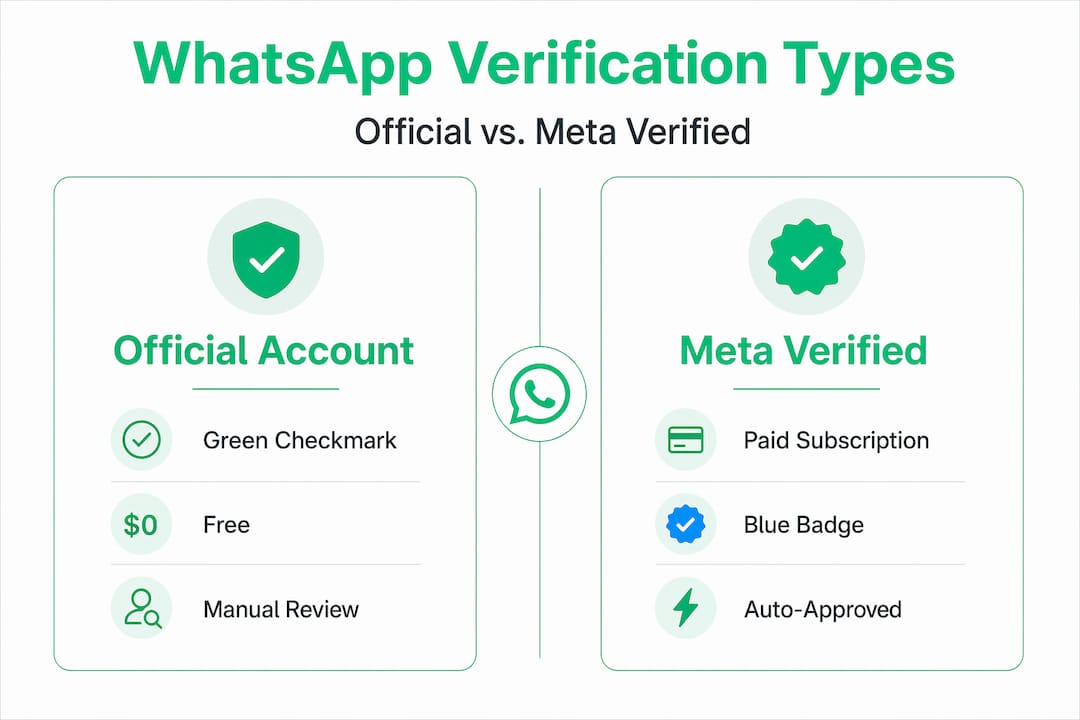
The Official Business Account (OBA) status with the green checkmark requires a manual review process. Meta evaluates your business presence, profile completeness, and overall credibility before granting it. No amount of money bypasses that review.
Pro Tip: If you already have Meta Verified active on your account, be aware that this may affect your eligibility to apply for the official green checkmark. Check Meta’s current requirements before applying.
| Feature | Official Business Account (Green Checkmark) | Meta Verified Subscription |
|---|---|---|
| Cost | Free | Paid monthly subscription |
| How obtained | Manual review by Meta | Subscription sign-up |
| Badge appearance | Green checkmark in chats and profiles | Blue badge |
| Purpose | Confirms business identity and legitimacy | Adds support and basic impersonation protection |
| Eligibility | Notable brands passing manual review | Meets age and activity requirements |
Benefits of verified WhatsApp business accounts
Getting verified is not just about appearances. The practical advantages are significant, especially for businesses that use WhatsApp as a primary communication channel.

What verification unlocks for your business
The most direct benefit is customer confidence. When someone sees a green checkmark next to your business name, they know they are talking to a legitimate organization, not a scammer impersonating your brand. That single visual cue reduces friction in the sales conversation before you have typed a single word.
Verified accounts also appear higher in WhatsApp search results, making it easier for customers to find you organically. For businesses investing in WhatsApp as a customer acquisition channel, this discoverability advantage compounds over time.
Beyond trust, verification is the gateway to more powerful tools:
- WhatsApp Flows: Automated, structured conversation sequences that guide customers through purchases, bookings, or support issues without human intervention.
- AI-powered chatbots: Automated customer service that handles inquiries around the clock and scales without adding headcount.
- Multi-agent shared inboxes: Multiple team members can manage customer conversations from one centralized account, which is essential for growing teams.
- Unlimited branded messaging: The ability to send bulk, scheduled, and follow-up messages at scale through verified channels.
Businesses using these tools alongside AI-powered automation can see a 40% increase in sales performance. That number reflects what happens when trust meets efficiency. Customers who feel safe are more willing to engage, and automation ensures no conversation falls through the cracks.
Businesses that benefit most from this include e-commerce brands, service providers with high inquiry volumes, financial services companies, healthcare providers, and any business where trust is a precondition for a transaction.
How to verify your WhatsApp business account
Verification is not available to every business, and that selectivity is part of what makes it valuable. Here is what you need to know before applying.
Eligibility requirements
To be considered for verified business status on WhatsApp, your account must meet the following baseline criteria, according to Meta’s guidelines:
- Your business profile must have a complete profile name and profile picture.
- Your account must show recent message activity, meaning the account is actively in use.
- Your business must be located in a country where WhatsApp business verification is supported.
- You must not have certain active subscriptions (like Meta Verified) that conflict with the official verification process.
The eligibility criteria also implicitly require that your business has a verifiable public presence. Think of it this way: Meta is asking, “Does this business actually exist and does it matter?” A strong website, active social media presence, and press coverage all work in your favor during the review.
The application and review process
Once you meet the eligibility requirements, you submit your business for review through the WhatsApp Business API or within the Business Manager platform. Meta then evaluates your submission manually. There is no guaranteed timeline, and rejection does not come with detailed feedback, which is one of the more frustrating aspects of the process.
Pro Tip: Before applying, do a full audit of your online presence. Check that your business name matches across your website, social media, and WhatsApp profile. Inconsistencies are one of the most common reasons businesses fail the review.
- Complete your WhatsApp business profile fully, including category, description, address, and business hours.
- Make sure your website is live and professionally presented.
- Consolidate your business name across all platforms to ensure consistency.
- Remove any conflicting subscriptions that may block your application.
- Submit your application and monitor your Business Manager account for status updates.
Building a strong online presence before applying significantly increases your approval chances. Treat the review like a due diligence check. The more evidence you give Meta that your business is real and reputable, the better.
How to recognize genuine verified accounts
Knowing how to spot a real verified WhatsApp business account matters not just for your own credibility, but for protecting your customers from fraud. If your customers cannot distinguish your legitimate account from a scammer’s fake one, you lose trust regardless of your status.
Here is what to look for when verifying the authenticity of a WhatsApp business account:
- The green checkmark badge appears directly next to the business name in chats, profiles, and the calls tab.
- The business name, profile picture, and contact information are consistent across their website and other public platforms.
- The account communicates through official WhatsApp Business API channels, not personal numbers posing as businesses.
- A verified account will not ask you to move the conversation to a different platform or personal number.
Unverified accounts, or accounts fraudulently impersonating a brand, typically lack the green badge and often have subtle inconsistencies in their profile information. The verified badge protects brands from this type of impersonation by creating a visual standard customers can rely on.
For businesses themselves, the verification process also reinforces long-term customer loyalty and confidence, because customers know they are engaging with a secure, authenticated channel rather than an unmoderated personal number.
My honest take on WhatsApp verification
I’ve worked with businesses at every stage of their WhatsApp journey, and one thing I’ve noticed consistently is that the businesses who pursue verification as a trust strategy get far more from it than those who treat it as a checkbox.
Here’s what I’ve learned. Verification is less about the badge itself and more about what the badge forces you to do. To pass Meta’s review, you have to have your brand presence in order. That means a clean, consistent identity across every digital touchpoint. The businesses that go through that process and succeed are inevitably better positioned to convert customers, not just on WhatsApp, but everywhere.
What I’ve also seen is that many businesses get discouraged when their first application gets rejected. That rejection is actually useful information. It tells you that your public presence has gaps. Fix them, reapply, and the outcome changes. I’ve seen businesses turn a rejection into a full brand audit that strengthened everything from their website to their Google Business profile.
The other thing worth saying clearly: verification is a prerequisite for scaling with AI-powered automation tools. If you plan to grow beyond what a small team can manually manage, the verified path is the only one that actually scales. The businesses I’ve seen try to scale WhatsApp communication without it hit walls quickly.
— Axel
Take your verified account further with Whatsable
Once you have your verified WhatsApp business account, the real work begins. Verification opens the door. What you build on the other side of it determines your results.
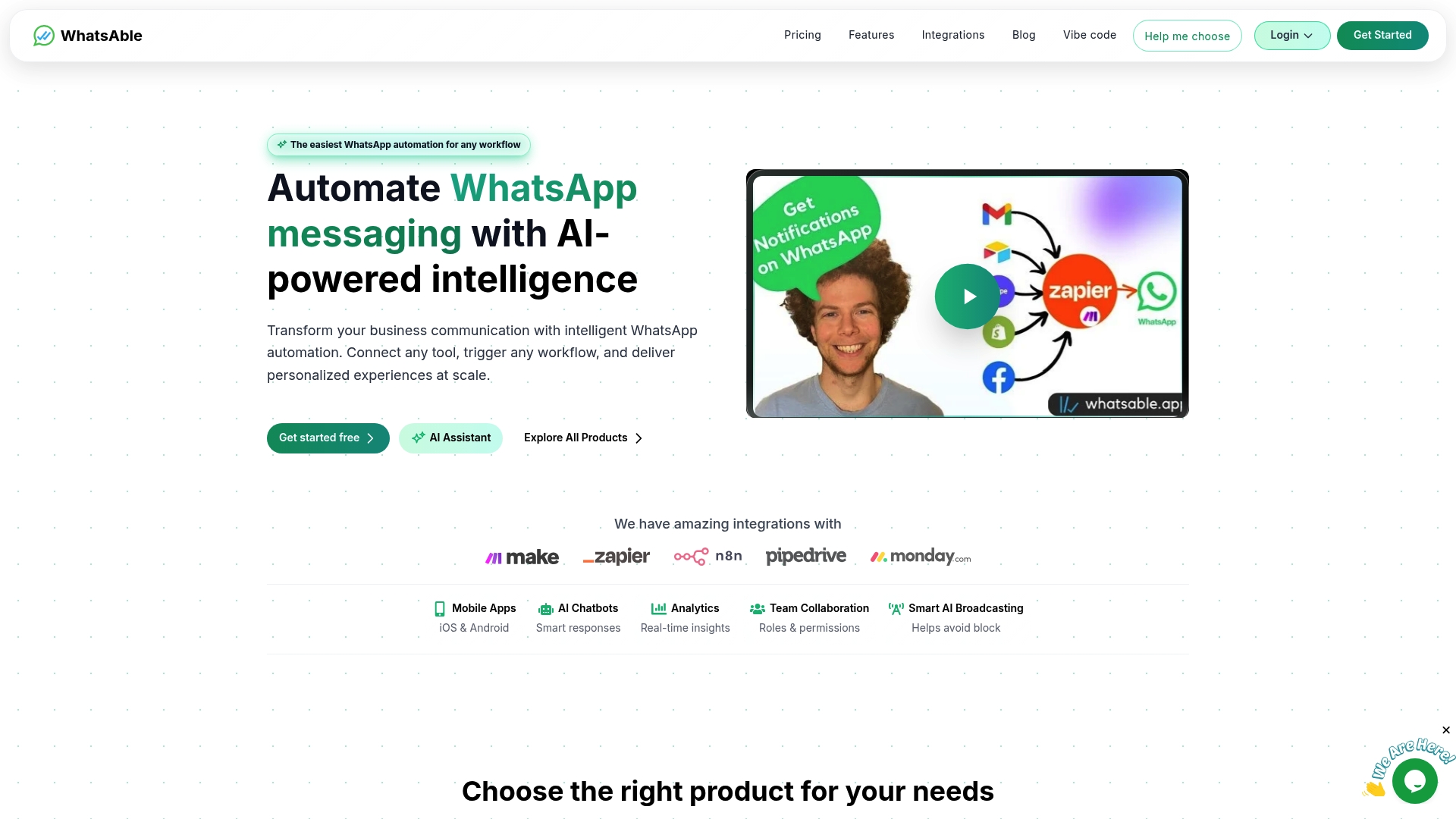
Whatsable is built specifically for businesses that want to get the most from a verified WhatsApp presence. The Whatsable platform connects directly with your verified account to power bulk messaging, automated follow-up sequences, AI chatbots, and multi-agent inboxes, all with integrations for tools like Zapier, Make, n8n, and Pipedrive. If you operate an agency or want to offer WhatsApp automation under your own brand, the Whatsable whitelabel solution lets you deploy the full platform with your own branding for clients. From setup to scale, Whatsable gives you the infrastructure to make verification count.
FAQ
What is a WhatsApp verified business account?
A WhatsApp verified business account is one that displays a green checkmark badge after Meta has reviewed and confirmed the business’s identity and legitimacy. The badge appears in chats, profiles, and the calls tab.
How is verification different from Meta Verified?
The green checkmark verification requires a free manual review by Meta and is reserved for notable businesses. Meta Verified is a separate paid subscription that adds a different badge and support features but does not grant the official green checkmark.
How do you qualify for a verified WhatsApp business account?
To qualify, your account needs a complete profile, recent message activity, a business location in a supported country, and a strong verifiable public presence. Meta reviews applications manually with no guaranteed approval.
What features does a verified WhatsApp business account unlock?
Verified accounts gain access to advanced tools including WhatsApp Flows, AI-powered chatbots, multi-agent shared inboxes, and bulk messaging capabilities that are not available to standard accounts.
Can customers tell if a WhatsApp business account is verified?
Yes. The green checkmark appears next to the business name in chats and profiles, giving customers an immediate, visible confirmation that the account has been authenticated by Meta.
 Elias Navarro